How to Make ChatGPT Sound More Human: 7 Proven Steps
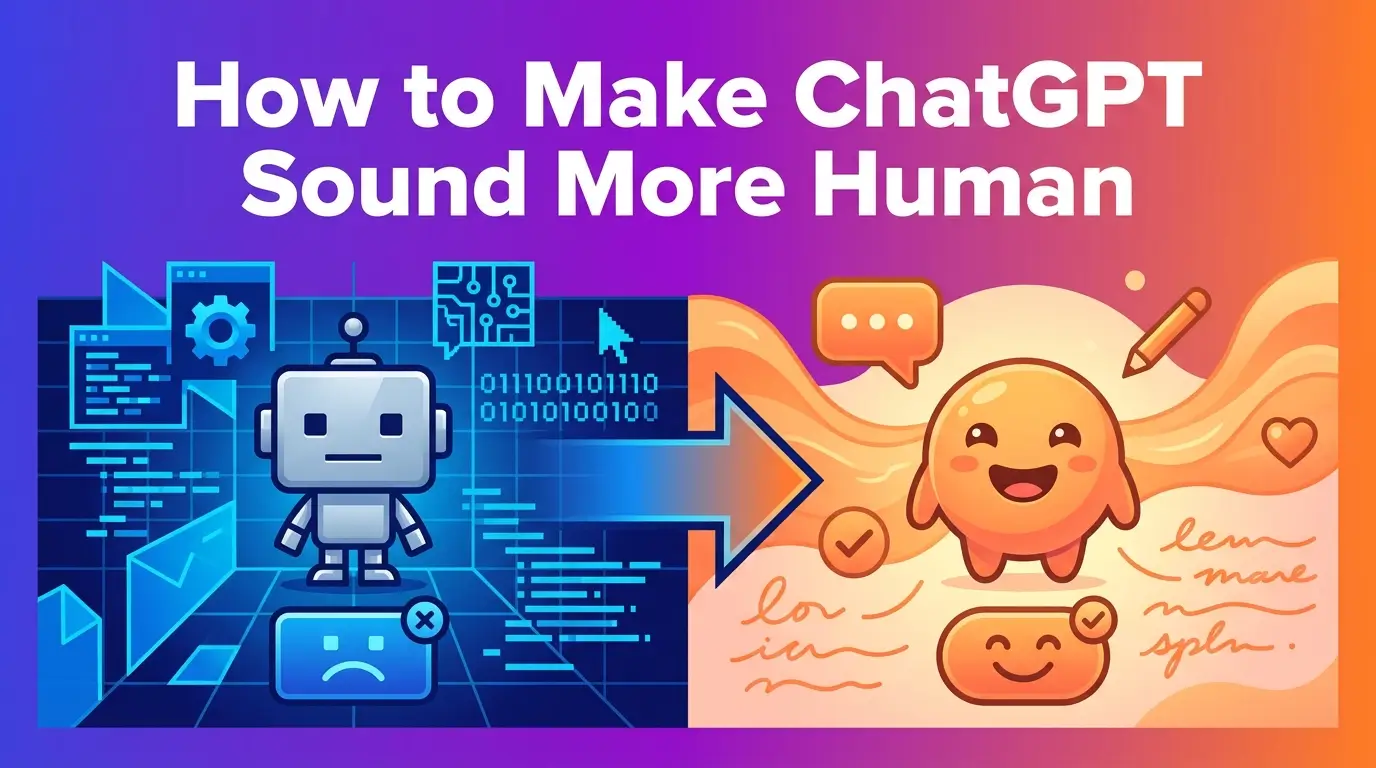
Learn how to make ChatGPT sound more human with 7 proven steps: custom instructions, a ban-word list, scenario prompts, & a final human edit.
If you've ever wondered how to make ChatGPT sound more human, you're not alone. You've probably read an email or blog post and thought, "This was definitely written by AI." Maybe it used words like "delve" or "leverage," or every paragraph felt perfectly polished in a way no real human writes. The truth is, AI-generated content has a signature style and readers, clients, and even search engines are getting better at spotting it.
The good news? You don't have to ditch ChatGPT. You just need to learn how to guide it properly. With the right prompts, custom settings, and a quick human edit, you can make ChatGPT sound more human, producing content that reads naturally, like something a real person actually wrote. This guide gives you the exact steps, prompts, and rules to do that, whether you're writing emails, blog posts, social media content, or essays.
Key Takeaways
Change ChatGPT's default settings so it writes like a person, not a robot
Train it on 2-3 samples of your own writing so the output sounds like you
Ban AI giveaway words like delve, leverage, and moreover completely
Use scenario-based prompts to get natural, concrete language instead of vague tone requests
Vary sentence length (burstiness) the way real people naturally speak and write
Run a humanizer rewrite prompt to catch any leftover robotic patterns
Always finish with a 5-minute human edit, this is what adds real judgment and personality
Why AI Writing Feels "Off"
When people say "this sounds like AI," they usually don't mean the facts are wrong. They mean the tone feels wrong.
Many companies now use AI for emails, customer support, and reports. At the same time, readers are getting better at spotting "AI slop," text that is too perfect, too polite, and too generic. When your writing sounds canned or robotic, readers feel it doesn't fully meet their needs, even if the facts are correct.
Key point: Trust comes from voice, not just information. That's why humanizing ChatGPT output is worth the effort.
This isn't just a feeling either. People scroll past content that sounds hollow the same way they scroll past spam. A blog post that opens with "In today's fast-paced digital landscape" tells the reader, before they've even learned anything, that they're talking to a template instead of a person. That first impression matters more than most writers realize. Once a reader decides something "sounds like AI," they read the rest of the page with one eyebrow raised, looking for more evidence instead of actually absorbing what you wrote.
There's also a business cost to this. If you run a newsletter, a blog, or client-facing emails, your writing is part of your brand. A voice that sounds stiff and interchangeable with every other AI-generated page makes your brand forgettable. A voice that sounds like an actual person, with opinions, rhythm, and small imperfections, is what makes someone remember you, reply to you, or come back to your site next week.
The Language Patterns That Scream "AI"
AI text has a few clear tells. Here's what to watch for:
Category | Examples |
Overused buzzwords | delve, leverage, utilize, robust, seamless, elevate, empower |
Filler phrases | "in today's fast-paced world," "navigating the complexities," "ever-changing landscape" |
Template intros/endings | "In this article, we will discuss..." / "In conclusion..." |
Corporate tone | "We are thrilled to leverage this opportunity to maximize value for stakeholders." |
Punctuation tells | Overuse of em-dashes (-) instead of commas or simple sentences |
People don't talk or write like this in daily life. That's why it feels fake.
There's a second, quieter tell too: AI text loves to summarize itself. It'll explain a point, then restate the same point in slightly different words a sentence later, "just to be clear." Humans rarely do that. We say a thing once and move on, trusting the reader to keep up. If you notice ChatGPT repeating an idea it already made, that's usually a sign the output needs trimming, not more padding.
How Large Language Models Create This Style
ChatGPT is a large language model (LLM), a type of generative AI called a transformer. It writes by predicting the next token (piece of a word) based on patterns learned from massive amounts of text.
A few simple facts about how it works:
It doesn't think like a human. It uses next-word prediction, not real understanding.
It is trained to be safe, polite, and helpful so it tends to choose safe, generic phrases.
Settings like temperature and top-up control how creative or predictable it is, but the default is often a bit stiff.
Google's systems like BERT understand the meaning of your content and whether it matches what people want, stiff, cliched text can hurt your ranking.
Think of it like asking a very well-read intern to write something "professional" without giving them any other direction. They'll reach for the safest, most generic version of professional they've seen a thousand times before, because that's the lowest-risk choice. ChatGPT does the same thing by default. It's not being lazy, it's just optimizing for "this will probably be fine for most people," which is exactly why it ends up sounding like nobody in particular.
This also explains why two completely unrelated ChatGPT users often get oddly similar-sounding output for the same type of request. The model isn't pulling from your specific voice, it's pulling from the statistical center of all the writing it's seen labeled as "good professional writing." Your job, in every step below, is to pull it away from that center and toward something specific, like you.
How to Make ChatGPT Sound More Human: 7 Step-by-Step Methods
Now that you know why AI writing feels robotic, let's fix it. The next seven steps walk you through exactly how to turn ChatGPT's default output into something that reads like a real person wrote it, from setting up your custom instructions to doing a final human pass before you hit publish.
Step 1 - Set a Human-Style System Prompt in Custom Instructions
The fastest way to change ChatGPT's voice is to change its default behavior.
Where to set it in ChatGPT:
Click your profile icon
Choose "Customize ChatGPT"
In "How would you like ChatGPT to respond?", paste your rules
Copy this template and adapt it:
You are writing as a real person, not an AI assistant. Use contractions: it's, don't, won't, you're, we're. Mix short sentences with longer flowing ones. Use "you" and "we" naturally. Be clear and direct. No corporate hedging. Avoid these words and phrases entirely: delve, moreover, furthermore, in essence, in today's fast-paced world, leverage, utilize, robust, seamless, tapestry, "in conclusion," "in this article, we will discuss." Never use em-dashes; use commas, periods, or " - " instead. Use simple words a smart friend would use. Prefer concrete examples over abstract claims. Allow small imperfections. It should feel like a human typed it, not a brochure.
Once you save this, start a new chat. You'll notice the tone shift immediately.
One thing worth knowing: custom instructions apply globally, across every new chat, which is exactly the point. You set it once and stop fighting the same battle every single time you open ChatGPT. If you ever need a different tone for a specific project, like a more formal client report, you can simply add one line at the top of that chat: "For this conversation only, write in a more formal register, but keep the rest of the rules above." ChatGPT will respect the override without you needing to touch your saved instructions.
Step 2 - Train ChatGPT on Your Own Voice
You don't just want "generic humans." You want it to sound like you.
Collect 2-3 short samples of your writing, a casual email, a social media post, and a more formal piece like a work memo. This gives the model a sense of your rhythm, vocabulary, and formality level.
Voice-training prompt to copy:
Here are three examples of how I write: [Paste example 1] [Paste example 2] [Paste example 3]. Analyze my tone, sentence length, vocabulary, and level of formality. Now write a [blog post / email / LinkedIn post] about [TOPIC] in the same voice - same rhythm, vocabulary, and style. Use the examples as a style guide, not something to summarize.
When to use voice training:
Use It | Skip It |
Newsletters, personal brand content | Quick internal notes |
Important emails where tone matters | Basic documentation |
LinkedIn, blog, thought-leadership posts | One-off simple tasks |
A tip that makes this step far more effective: pick samples that actually represent the range you write in, not just your best writing. If you only feed ChatGPT your most polished paragraph, it'll learn your vocabulary but miss your actual rhythm. Include one piece where you were clearly typing quickly, a quick Slack message, a text to a friend, an unedited first draft. That's usually where your real voice shows up, the contractions you actually use, the way you start sentences, the length of your average thought before you move to the next one.
You can also keep a running "voice file." Every time you write something you're proud of, paste it into a single document. Over a few weeks, you'll have a solid bank of 8-10 examples you can rotate through, which keeps ChatGPT from drifting back toward generic phrasing over time.
Step 3 - Ban AI-Sounding Words, Phrases, and Structures
Some words have become classic AI tells. Removing them instantly makes writing feel more human.
Add a short "do not use" list to your Custom Instructions or at the top of important prompts. Common ones to ban:
Category | Words / Phrases to Avoid |
Buzzwords & formal verbs | delve, leverage, utilize, robust, seamless, elevate, empower, unlock, endeavor, furthermore, moreover |
Over-dramatic phrases | "in today's fast-paced world," "navigating the complexities," "ever-changing landscape" |
Template intros/endings | "In this article, we will discuss...," "In conclusion..." |
Generic empathy lines | "Your concern is very important to us," "I'm sorry to hear that..." (when overused) |
Punctuation tells | Em-dashes (-) used instead of commas or simpler punctuation |
Also swap corporate words for plain English:
Instead of | Use |
utilize | use |
facilitate | help |
commence | start |
remediate | fix |
leverage | use |
Tell ChatGPT: "Avoid these words and phrases: [paste your list]. If they appear in the draft, rewrite the sentence with plain language a real person would use."
It helps to think of this list as a living document, not a one-time setup. Every few weeks, AI writing trends shift slightly as more people start using these same prompts, which means new "tells" creep in. Keep a small note on your phone or in a doc, and any time you spot a word or phrase that instantly makes something feel AI-written, add it to your ban list. Six months from now, your list will be twice as long and twice as effective, and you'll barely have to think about it because it'll just live quietly in your custom instructions.
One word of caution: don't over-ban. If you forbid too many common words, like "important" or "significant," you'll end up with oddly clunky sentences as ChatGPT contorts itself to avoid them. Keep the list focused on genuine AI clichés, not ordinary vocabulary.
Step 4 - Use Scenario-Based Prompts That Force a Human Feel
Telling ChatGPT to "write in a friendly tone" often gives a fake-sounding result. The trick is to tell it who it is and what situation it's in. Adjectives like "friendly" or "engaging" are vague. But scenarios like "typed on my phone in 30 seconds" are concrete — the model has seen many examples like that in training, so it knows what fits.
Ready-to-copy prompts by content type:
Blog post:
Write a 700-word post on [TOPIC]. Voice: a practitioner talking to peers, not an SEO copywriter. Use contractions, mix short sentences with longer ones, and include one concrete real-life example. No generic headers like "Introduction" or "Conclusion."
Email:
Rewrite this so it sounds like I typed it on my phone in 30 seconds. Make it direct, use contractions, no formal sign-offs, and keep it under 80 words. [Paste your draft]
LinkedIn / Social:
Write a LinkedIn post on [TOPIC]. Voice: someone with real opinions, not a brand. Start with a strong hook. No "I'm excited to share..." cliches. Maximum 150 words.
Rewriting AI text:
Take this AI-generated text and rewrite it as if a tired human wrote it at 11pm. Keep the meaning. Vary sentence length. Cut filler, buzzwords, and overly formal phrases. [Paste the text]
Step 5 - Adjust Sentence Rhythm and "Burstiness"
Humans don't write with one sentence length over and over. We mix short and long sentences. AI content often has similar sentence length from line to line — very balanced, predictable structures. Human content mixes short punchy lines with longer flowing sentences, and occasionally even incomplete thoughts.
Some AI detectors look at burstiness, how varied your sentence length and structure is. Very flat patterns often score as AI.
Add one or two of these to your prompt:
"Mix short sentences with longer ones, like a person talking."
"Avoid repeating the same sentence structure back-to-back."
"Allow small imperfections, like starting a sentence with 'And' or 'But' when it feels natural."
Quick 60-second check: Read it out loud. If it sounds like a robot or a school textbook, ask: "Rewrite this to mix very short sentences with longer ones, but keep the meaning."
Flat, AI-style rhythm: "ChatGPT can help you write faster. It can also help you brainstorm ideas. Many writers use it daily. It saves time on first drafts."
Bursty, human-style rhythm: "ChatGPT writes fast. That's the whole appeal. Most writers I know use it for brainstorming, first drafts, the boring stuff, because honestly, who wants to spend an hour staring at a blank page?"
Notice the second version has a four-word sentence, then a much longer one with a pause built in, then a question. That unevenness is exactly what reads as natural, because that's how people actually think out loud. The first version, by contrast, has four sentences that are almost identical in length and structure, which is a dead giveaway even before you check for buzzwords.
Step 6 - Use Humanizer Prompts and (Optional) AI Detectors
For most tasks; emails, posts, internal docs, this simple flow works:
1. Generate with your system prompt and scenario
2. Run a humanizer prompt like the "11pm tired human" one above
3. Do a quick human edit: cut cliches, fix weird phrasing, add one specific detail
For high-stakes content like job applications or big sales emails, you can run it through a free AI detector:
Tool | Free Plan | Best For |
GPTZero | Yes | Students, educators |
ZeroGPT | Yes | Quick checks |
Originality.ai | Limited | SEO content |
Grammarly AI Detector | Yes | General writing |
Detectors aren't perfect. Use them to spot which sections still look "too AI" and adjust manually.
If you'd rather skip the back-and-forth of writing your own humanizer prompts every time, a dedicated tool can do steps 2 and 3 in one pass. AI Writing Humanizer is built specifically for this, you paste in your ChatGPT draft, and it rewrites the text to remove robotic patterns, vary sentence rhythm, and strip out the common AI tells covered in this guide, without you needing to re-prompt ChatGPT three or four times to get there. It's a fast way to handle the humanizing step when you're working through a lot of content and don't want to manually rewrite every paragraph yourself.
Whichever route you choose, manual prompting or a dedicated humanizer, treat the detector score as a signal, not a verdict. A "70% human" score on a quick internal email doesn't matter much. The same score on a job application probably means you should do another editing pass before sending it.
Step 7 - Edit Like a Human: The Final 5-Minute Pass
No matter how good your prompts are, nothing beats a short human edit. Ask yourself:
Does this say what I actually think?
Are there any sentences that feel too polite, too corporate, or too vague?
Can I swap one generic sentence for a specific example from my own life or work?
Do I see any leftover buzzwords or banned phrases?
Is there any part that feels long-winded that I can cut?
Smart hybrid approach: Manually edit 1-2 paragraphs until they sound perfect to you. Then paste them back into ChatGPT and say: "Here is my edited version of the first part. Revise the rest of the text to match this tone and style exactly."
For some things, it's better to start with fully human deeply personal messages, very contrarian ideas, or long emotional stories. In those cases, write a rough draft yourself, then use ChatGPT only to fix grammar, suggest shorter sentences, or create versions for other channels.
How to Humanize ChatGPT for Different Types of Writing
Business emails: Keep it under 180 words, use contractions, short paragraphs, and plain language. Sounds like a thoughtful professional speaking to one person not a corporate announcement.
Blog posts: Write for readers who already know the basics. Use contractions, avoid generic intros, and include at least two real-world examples. Mix short and long sentences throughout.
Social media and TikTok scripts: Start with a strong hook in the first sentence. Use simple words, short sentences, and one quick story or example. No "I'm excited to share..." cliches.
Academic essays: Use clear, formal language but avoid cliches like "in today's world." Write the essay yourself using an outline, then use ChatGPT only to polish the language not to write everything from scratch. Always check your school's rules about AI use.
FAQs
How do I make ChatGPT write like a human?
Set strong Custom Instructions, ban AI giveaway words, train it on your own writing samples, and finish with a short human edit.
How do I get ChatGPT to sound like a normal person, not a robot?
Use scenario-based prompts: "typed on my phone in 30 seconds" or "explaining to a friend over coffee." Ban words like "moreover," "leverage," and "in today's fast-paced world."
Can ChatGPT humanize its own AI-generated text?
Yes, to a point. Paste it back and say: "Rewrite this to sound more human: cut buzzwords, vary sentence length, and remove generic phrases." For important pieces, also edit by hand.
Does a better model automatically sound more human?
No. Prompting matters more than the model. A well-prompted free model beats a poorly prompted advanced model every time.
Can AI text ever be 100% undetectable?
No method guarantees this detectors keep improving. Your real goal should be clear, honest, human-centered communication. Use AI as a helper, then add your own judgment.
Conclusion
Making ChatGPT sound more human isn't about tricking anyone, it's about making your content actually worth reading. The seven steps in this guide work together: a strong system prompt sets the foundation, voice training makes it sound like you, banning AI words removes the obvious tells, scenario prompts force natural language, burstiness fixes the rhythm, a humanizer pass cleans up what's left, and a five-minute human edit adds the final layer of authenticity.
The biggest mistake people make is treating AI output as a finished product. It's not. It's my first draft. Your job is to learn how to make ChatGPT sound more human from the very start, give it direction upfront and shape it at the end.
Use these prompts, build your ban list, and make the five-minute edit a habit. Do that consistently, and your readers won't think twice about whether a human wrote it. They'll just think it was good.
Save this guide and bookmark the prompts, they work across ChatGPT, Claude, Gemini, and any other AI writing tool you use.