Does Grammarly Have a Humanizer? The Real Answer
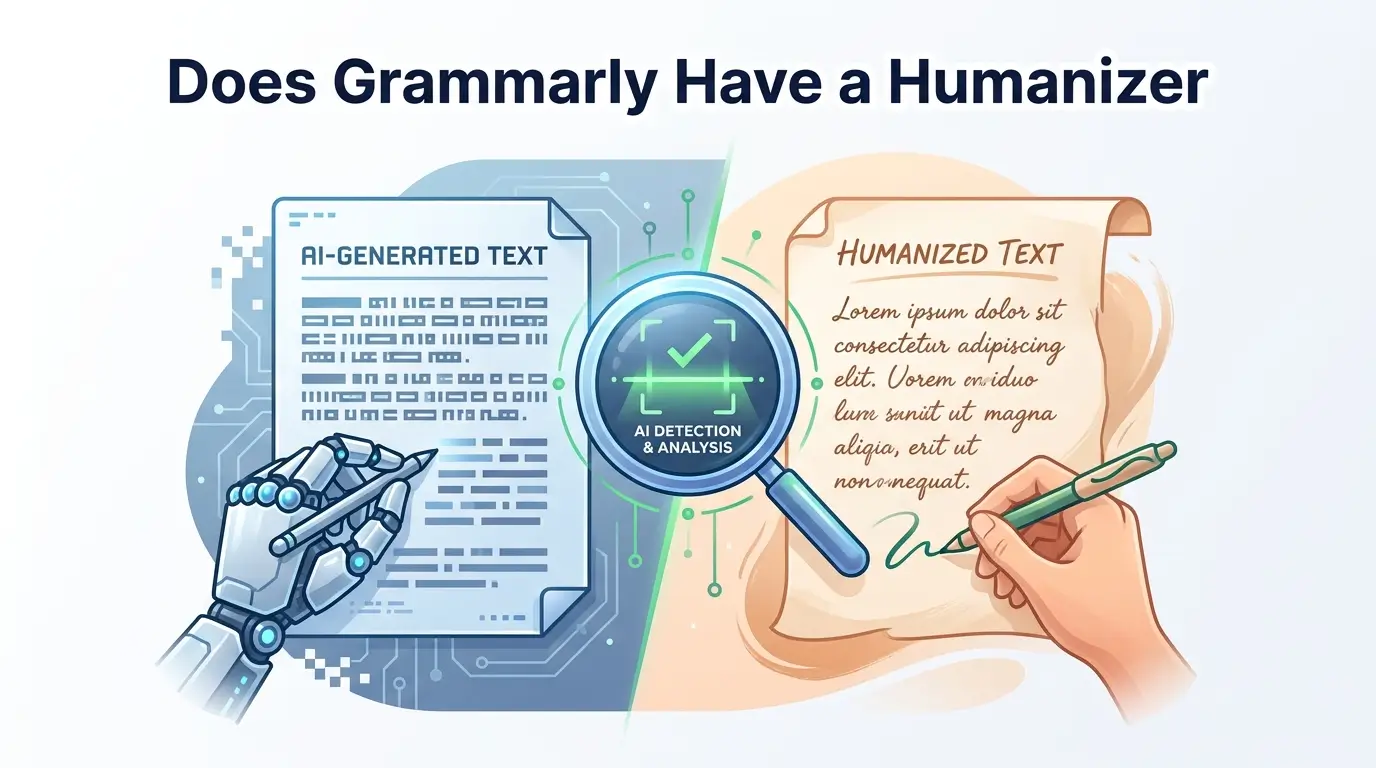
Does Grammarly have a humanizer? Yes, but does it beat AI detectors? See real detector scores and the feature that protects you better.
Every week, thousands of people type some version of the same question into Google: does Grammarly have a humanizer, and can it actually keep AI-written text from getting flagged? It's a fair question, since Grammarly has quietly become one of the most trusted names in writing tools. But the real answer is more layered than a simple yes or no. Are you polishing your own writing, or trying to disguise something AI wrote for you?
Are you worried about sounding robotic, or about being falsely accused of using AI when you didn't? Grammarly has separate features for each of these problems, and confusing one for the other is how people end up disappointed, or flagged anyway. Here's what's actually happening under the hood.
Key Takeaways
Grammarly's Humanizer is real, how it works, and how to use it step by step.
Which Grammarly plans give you access, and where the AI-action allowance can catch you off guard.
What independent detector tests actually show when Humanizer output is checked for AI.
Why perplexity, burstiness, and stylometry matter more than a rewrite button.
What Grammarly Authorship is, and why it may protect you better than the Humanizer.
How to tell if your Grammarly use puts you at risk with Turnitin or your professor.
How Grammarly's Humanizer compares to dedicated AI humanizer tools.
Does Grammarly Have a Humanizer?
Does Grammarly have a humanizer? Yes, it does. Grammarly now includes an AI humanizer, both as a free standalone web tool and as a built-in "Humanizer agent" inside its writing platform.
According to Grammarly's own product page, an AI humanizer is a tool that rewrites AI-generated text, like content from Grammarly, ChatGPT, Gemini, or Claude, to improve clarity, flow, and readability. Grammarly offers its own version of exactly that.
There are actually two ways to use it.
The first is a free standalone web tool that lives on Grammarly's website. It is free to use and offers basic humanization for your text. You just paste your text or upload a document into the tool.
The second is the Humanizer agent built directly into the Grammarly product. When you sign up for Grammarly, you get access to the Humanizer agent, which offers advanced humanizing features.
So the feature exists. It's real. You can use it today.
But here's the part most people actually want to know: does it make AI-generated text undetectable?
The honest answer is no. Grammarly itself doesn't claim that.
Grammarly's own product page describes its AI humanizer as refining your text to sound clear, genuine, and expressive, and it advises users to follow the appropriate guidelines for acknowledging AI use in their work.
That's a very careful way of saying this is a writing quality tool, not a detection bypass tool.
If your actual goal is text that reliably reads as human to a detector, it's worth comparing Grammarly's approach against tools built specifically for that purpose, such as an AI humanizer designed around detector-focused rewriting, or checking your draft against an AI detector before you submit it anywhere.
Let's dig into what that means in practice.
How Grammarly's Humanizer Actually Works (Step by Step)
Using the Humanizer agent inside Grammarly is fairly simple. Here's the basic workflow:
Open your document in the Grammarly editor or inside Superhuman Go.
Find the Humanizer agent in the agents panel on the right side of your screen.
Pick a voice, either one of the presets or your saved custom voice.
Review the suggestions. The Humanizer tab displays detailed suggestions for improvement within your text. You can hover over the bars on the left side of your text to see actionable feedback prompts that guide you on how to update the text.
Accept, reject, or edit each change before finalizing.
That's it. No complicated setup. If you already use Grammarly for grammar checking, the Humanizer sits right next to the tools you already know.
Tip: You can also trigger the Humanizer from inside Superhuman Go without leaving your inbox or browser. That makes it convenient for quick email or proposal rewrites.
The Four Preset Voices
Grammarly gives you four ready-made voice presets to choose from:
Everyday: neutral, relaxed, conversational
Precisionist: tight, no-fluff, straight to the point
Executive: polished, business-professional
Scholar: formal, research-oriented
You'll sometimes see slightly different names in Grammarly's interface, like Professional, Academic, Friendly, or Persuasive. That's because Grammarly has updated its voice naming across product releases. The function is the same. Pick the tone that fits your audience.
Building a Custom Voice Profile
This is one of the more useful features most people overlook.
To create one, click "Create a voice," then add a name and your writing sample of 200 words or more as a style reference.
The Humanizer then learns your patterns and applies them to future rewrites.
Tip: Don't submit the bare minimum 200 words. Feed it 300 to 400 words of your real writing, such as an old email, a blog draft, or something you actually wrote yourself. The more it has to work with, the better the output matches your actual voice.
One more thing worth knowing: your custom voice profiles are shared between both the Humanizer and Paraphraser agents that are available in both Superhuman Go and docs. Set it once, and it follows you everywhere inside Grammarly.
Languages Supported
You can humanize seamlessly in English, Spanish, French, German, Portuguese, and Italian. That's six languages total, more than most competing humanizer tools offer.
If you want to see how the humanization approach differs when the goal is specifically written for AI-to-human conversion, this breakdown of how AI can write like a human is a useful side-by-side reference.
Which Grammarly Plans Include the Humanizer?
Not every Grammarly plan gives you the same access. Here's how it breaks down.
The Humanizer agent is available in Superhuman Go and docs for Grammarly Pro, Grammarly Plus, and Grammarly Free subscribers. For Grammarly Enterprise, Grammarly Business, and Grammarly for Education users, the Humanizer agent is accessible in docs only.
In plain terms:
Plan | Humanizer Access | Where It Works |
Free | Yes, basic humanization, all four presets, custom voice creation | Standalone tool + Superhuman Go + docs |
Plus | Yes, expanded AI-action allowance | Superhuman Go + docs |
Pro (~$12/month annual) | Yes, full voice controls, priority processing | Superhuman Go + docs |
Enterprise / Business / Education | Yes, but limited | Docs only (no Superhuman Go) |
The Catch: The AI-Action Allowance
Here's what catches a lot of people off guard.
Every time you run text through the Humanizer, it uses up part of your monthly AI-action allowance. That pool is shared across all of Grammarly's AI features, including the Humanizer, the Paraphraser, and AI chat.
On the free plan, that ceiling is low. On paid plans, it's higher but still capped.
Tip: If you regularly humanize long documents (2,000+ words), you can hit your monthly ceiling fast, especially on the free or lower paid tiers. Plan your usage accordingly, or save the Humanizer for your most important pieces.
Fact: Enterprise and Business users lose the Superhuman Go integration entirely, meaning rewrites happen inside Grammarly's document editor only. If your team lives in Notion, Google Docs, or another CMS, that creates real workflow friction.
Does Grammarly's Humanizer Actually Beat AI Detectors?
This is the section you're really here for. Let's be straight about it.
What Grammarly Itself Says
Grammarly does not position the Humanizer as an AI detection bypass tool.
Their product page frames it around use cases like refining AI-assisted drafts by smoothing robotic phrasing while keeping ideas clear and academically credible, and ensuring AI-generated emails and support messages sound empathetic and genuinely human so customers feel understood.
Notice what's missing. Any promise about detectors.
Grammarly explicitly tells users to follow the appropriate guidelines for acknowledging AI use in their work.
That tells you exactly how Grammarly views this tool. It's a clarity and voice polish, not a cloaking device.
What Independent Testing Shows
When third-party reviewers have run Grammarly-humanized text through popular AI detectors, the results are not great for anyone hoping for invisibility.
In one published test, Grammarly's own built-in detector reported that 91% of the humanized text appeared to be AI-generated, meaning even Grammarly could not bypass its own detection system.
The same content tested with a popular paraphrasing tool's AI detector indicated that around 50% of the text was likely AI-generated, which is some improvement, but still far from fully human-like.
Other published tests show Grammarly's own AI Detector flagging Humanizer output at around 42% AI, while a separate zero-shot detector scored similar output at 88.2%.
Detector | Reported AI Score on Humanizer Output |
Grammarly's own detector (test 1) | 91% |
Popular paraphrasing tool's detector | ~50% |
Grammarly's own detector (test 2) | 42% |
Zero-shot detector | 88.2% |
The pattern is consistent. Scores range from roughly 42% to 91% AI-flagged, depending on which detector does the checking and which text sample is used. Those aren't passing marks by any standard.
Key Point: These wildly different scores happen because different detectors use different methods. There's no single universal "AI score." A text that passes one detector can fail another completely. For a deeper look at why this happens specifically with humanized text, see does Humanize AI actually work on Turnitin.
Why Surface Rewriting Doesn't Fool Detectors
Here's the technical reason, explained simply.
AI detectors don't care whether your text "sounds nice." They measure something deeper: how predictable your writing is.
They look at two main things:
Perplexity. This measures how surprised a language model is by your word choices. If every word in your text is exactly what a language model would predict next, that's low perplexity. Low perplexity signals AI.
Burstiness. This measures how much your sentence length and structure vary. Humans naturally write in bursts, a short punchy sentence, then a long winding one, then something medium. AI text tends to be more uniform. Low burstiness signals AI.
There's also a lesser-known factor called stylometry, the study of your overall writing fingerprint. Detectors look at things like how often you use common function words (like "the," "is," "and"), your punctuation habits, and your sentence-length patterns. These patterns are surprisingly unique to each person, and AI text has its own signature too.
What the Grammarly Humanizer does, swapping in friendlier words, smoothing tone, softening phrasing, is mostly surface-level work. It makes the text read more naturally to a human reader. But it doesn't deeply restructure the underlying statistical patterns that detectors are scanning for.
Think of it this way: it's like putting a new paint job on a car. It looks different on the outside, but the engine underneath is the same. Detectors care about the engine.
If you're working from a ChatGPT draft specifically, this guide on making ChatGPT sound more human covers some of the deeper structural changes that surface-level tools like Grammarly's Humanizer tend to skip.
Tip: Treat any single AI-detector score as a signal, not a verdict. No detector is 100% accurate. Cross-check with multiple tools and your own judgment before drawing conclusions.
Grammarly Authorship: The Feature That Actually Protects You From False Accusations
Here's something almost nobody talks about when discussing Grammarly's humanizer, and it might matter more than the Humanizer itself if you're worried about getting accused of using AI.
It's called Grammarly Authorship.
What Authorship Is (And Why It's Different From the Humanizer)
Grammarly Authorship enables users to demonstrate their sources of text in a Google Doc or Microsoft Word document. When a user enables Authorship tracking, it proactively tracks the writing process. Authorship automatically categorizes the source of text as it is entered into the body of a document.
In plain language, Authorship watches you write and records where every piece of text came from.
Authorship isn't a form of AI detection. Rather than estimating the amount of AI-generated text in a piece of writing after submission, Grammarly Authorship proactively tracks the writing process as you write and automatically categorizes how text was created, without assigning any kind of value judgment.
This is a huge difference.
AI detectors like Turnitin or GPTZero look at your finished text and try to guess whether AI wrote it. They can be wrong. They produce false positives. They sometimes flag completely human-written work.
Authorship takes a completely different approach. It records the actual process: what you typed, what you pasted, and where you pasted it from. No guessing involved.
How Authorship Categorizes Your Text
Because Grammarly products run in your browser and across your desktop, they're able to distinguish between text that's typed directly into your document, text that's pasted from a browser-based source, and text that's pasted from an unknown source. Authorship also provides specific categorizations, distinguishing text that is AI-generated from text typed by the end user and then modified with on-demand AI rephrasing capability.
So the Authorship report color-codes your entire document to show:
What you typed yourself: human-written
What you pasted from a website: sourced
What came from an AI tool: AI-generated
What you typed and then edited with Grammarly's grammar/clarity tools: human-typed, Grammarly-edited
What you typed and then rephrased with Grammarly's AI features: AI-modified
This feature lets you replay your writing process from the first paste to the last keystroke and provides stopping points to give you a closer look at how text got onto the page.
Where Authorship Works and Who Gets It
Grammarly Authorship is available in Grammarly Free and Grammarly Pro.
Authorship works in Google Docs and Microsoft Word. To use it in Google Docs, install Grammarly's browser extension. To use it in Microsoft Word, install the desktop app.
Grammarly Pro and Premium plans also include detailed attribution for external sources, including text that is copied from a website or desktop application and text that is copied from a generative AI source.
Authorship's Real Limitations
Being transparent here matters. Authorship is a strong tool, but it's not perfect.
Because Authorship on Desktop is in beta, it may have some bugs, such as occasional inconsistent attribution. These glitches are expected as Grammarly gathers more user feedback and refines the feature.
There is currently a 20-page limit for Authorship in Microsoft Word. After this limit is exceeded, the tracked history may become unreliable.
If you never use the Grammarly editor, meaning you write entirely in a tool where Grammarly doesn't run, Authorship has no data and will not report anything.
Humanizer vs. Authorship: Know the Difference
This distinction is critical, and it's something most articles on this topic barely mention:
Grammarly Humanizer | Grammarly Authorship | |
What it does | Changes your output (rewrites text) | Documents your process (records how text was created) |
Goal | Make text sound more natural | Prove where your text came from |
Detector impact | Minimal, doesn't reliably change detector scores | Not relevant, it's a proof tool, not a rewriting tool |
Best for | Polishing stiff AI drafts | Protecting yourself if questioned about your writing process |
Tip: If you're a student worried about being falsely accused of AI use, turn on Authorship before you start writing. It gives you a documented record of your writing process that you can share with your professor. That's far more protective than running your text through a humanizer after the fact.
Will Turnitin or Your Professor Flag Grammarly-Edited Work?
This is the fear question. Let's break it down honestly.
What Turnitin Actually Scans For
Turnitin has two main functions. The first is its traditional plagiarism checker, which matches your text against a database of published work, student submissions, and web pages. The second is its newer AI writing indicator, which analyzes linguistic patterns to estimate how likely it is that AI generated the text.
Here's the important part: Turnitin does not specifically target Grammarly by name. It doesn't have a "Grammarly detector." It scans for the kinds of linguistic patterns that AI-generated text tends to produce, things like uniform sentence length, predictable word choices, and low stylistic variation.
Grammar Fixes vs. Full Rewrites
There's a massive difference between these two scenarios:
Scenario A: You wrote your essay yourself and used Grammarly to fix spelling, grammar, and punctuation. This is basic proofreading. It changes individual words or fixes errors. It does not fundamentally alter your writing's statistical patterns. The risk of being flagged as AI is very low.
Scenario B: You pasted an entire ChatGPT draft into Grammarly and ran it through the Humanizer agent to make it sound more natural. Now the text was AI-generated at its core, and a surface rewrite on top doesn't remove the underlying AI fingerprint. The risk is much higher.
Most of the anxiety around "will Grammarly get me flagged" comes from conflating these two very different use cases.
Key Point: If you're using Grammarly the way it was originally designed, as a grammar and clarity checker for text you actually wrote, the odds of a detector flagging that as AI are very low. The risk increases dramatically when you use Grammarly's AI rewriting features on text that was already generated by AI.
What To Do If You're Falsely Flagged
False positives happen. AI detectors are imperfect. If you're accused of AI use and you didn't use it, or used it within your institution's guidelines, here's a practical checklist:
Share your Grammarly Authorship report if you had tracking turned on.
Show your draft history. Google Docs revision history or Microsoft Word's Track Changes can demonstrate your writing process.
Check your institution's specific AI policy before submitting. Policies vary widely. Some schools allow grammar checking. Some prohibit any AI assistance. Know the rules before you submit, not after.
Request a meeting with your instructor to walk through your writing process in person.
Know your rights. Most institutions have a formal appeal process for academic misconduct accusations.
Tip: The best defense against a false AI accusation is documentation. Turn on Authorship tracking. Save your drafts. Keep your research notes. A clear paper trail beats any detector argument.
Grammarly Humanizer vs. Dedicated AI Humanizer Tools
Grammarly isn't the only tool that calls itself a humanizer. So how does it compare to tools built specifically for that job?
Here's the honest comparison:
Factor | Grammarly Humanizer | Dedicated Humanizer Tools |
Primary purpose | One feature inside a full writing suite (grammar, tone, citations, Authorship, etc.) | Built from the ground up around a single goal: making AI text read as human |
Best for | Human-written drafts that read stiff or robotic | Fully AI-generated text that needs deep restructuring |
Approach | Surface-level tone and voice polishing | Statistical-level rewriting targeting the patterns detectors scan for |
Detector focus | Not the stated design goal | Core design goal for most |
Bundled features | Grammar, clarity, plagiarism checking, Authorship, citations | Usually single-purpose |
Free tier | Yes, shared AI-action pool with monthly cap | Varies, most offer limited free trials |
The bottom line: Grammarly competes on breadth. The Humanizer agent works like an editor with emotional intelligence, fine-tuning your AI-generated writing to sound more natural, sincere, and distinctly human. It helps you eliminate robotic phrasing, add warmth or nuance, and ensure your voice feels authentic.
Dedicated humanizer tools compete in depth, specifically around the mathematical problem of reshaping the statistical fingerprint that detectors read. If that's your priority, it's worth testing your draft directly with an AI humanizer built around that exact goal, then verifying the result with an AI detector before you submit or publish.
These are different jobs. Pick based on your actual goal, not based on brand familiarity.
Is Grammarly's Humanizer Right for You?
Different people need different things. Here's a quick breakdown by user type.
For Students
If your school allows AI-assisted writing tools, Grammarly's Humanizer can help you polish drafts so they read more naturally. But don't use it as a shortcut to disguise fully AI-generated work. That's a risk, not a solution.
Better move: Turn on Grammarly Authorship. It documents your writing process and gives you proof of how your text was created. That's your real safety net.
For Professionals and Marketers
This is probably where Grammarly's Humanizer shines most. If you're writing emails, proposals, reports, or marketing copy and you want consistent brand voice across everything, the preset and custom voice features are genuinely useful. The integration across Gmail, Google Docs, Word, and browser makes it convenient for daily work.
For ESL and Non-Native English Writers
Grammarly aims to help AI writing sound natural, clear, and true to your intent across languages. The six-language support is a real advantage here.
But be aware that some AI detection tools have documented inconsistencies when evaluating non-native English writing. Text that's simply "different" in style can sometimes be misread as AI-generated. That's a detector problem, not a Grammarly problem, but it's worth knowing.
For Content Creators and SEO Writers
If you're publishing on your own website or blog and there's no gatekeeper running your text through a detector, the Humanizer is fine for tone polishing. The custom voice profile is especially useful for maintaining a consistent brand voice across large volumes of content.
Tip: Match the tool to the job. If your text was mostly written by you and just reads a little stiff, Grammarly's Humanizer is a good fit. If your text was fully generated by ChatGPT, Claude, or Gemini and needs to clear a detector, a more specialized tool may serve you better.
Frequently Asked Questions
Does Grammarly actually humanize text?
Yes. Grammarly's Humanizer rewrites AI-generated or stiff-sounding text to improve tone, flow, and readability. It's designed to make writing sound more natural to a human reader, not to disguise text from AI detectors. Published third-party tests show its output can still be flagged as AI at rates between roughly 42% and 91%, depending on the detector used.
Does Grammarly Pro have a humanizer?
Yes. Grammarly Pro includes full access to the Humanizer agent, with all four preset voices and custom voice creation, plus a higher monthly AI-action allowance than the Free plan. Free and Plus subscribers also get access to the same Humanizer agent, so the core feature isn't a Pro-only perk. The main difference across plans is how many rewrites you get before hitting your monthly cap.
Can professors detect if you use Grammarly?
Professors can't directly detect Grammarly use. But if you heavily use Grammarly's AI rewriting features (Humanizer, Paraphraser, or generative AI), your text may trigger AI detectors like Turnitin because the output comes from Grammarly's language model. Basic grammar and spelling corrections carry very low risk.
Does Turnitin detect Grammarly Humanizer?
Turnitin doesn't have a specific "Grammarly detector" and doesn't identify tools by name. Instead, it scans for the linguistic patterns that AI-generated text tends to produce, such as uniform sentence length, predictable word choices, and low stylistic variation. Published third-party tests show Grammarly-humanized text still gets flagged as AI at rates between 42% and 91%, so it does not reliably bypass Turnitin's AI writing indicator.
Will I get flagged for AI if I use Grammarly?
It depends on how you use it. Basic grammar, spelling, and punctuation corrections are very unlikely to trigger AI detectors, since those changes don't meaningfully alter your writing's underlying statistical patterns. The risk increases significantly if you run fully AI-generated text through Grammarly's rewriting features like the Humanizer or Paraphraser, since a surface-level rewrite doesn't remove the AI fingerprint underneath.
Is Grammarly's AI Humanizer free?
The AI humanizer tool on Grammarly's website is free to use and offers basic humanization for your text. When you sign up for a free Grammarly account, you also get access to the Humanizer agent, which lets you choose from four distinct voices, create a custom voice profile, and humanize writing in six languages. Heavy usage requires a paid plan due to the monthly AI-action cap.
What's the difference between Grammarly's Humanizer and Authorship?
The Humanizer changes your text. It rewrites sentences for better tone and natural flow. Authorship documents your process. It records whether you typed, pasted, or AI-generated each piece of text. They serve completely different purposes. If your goal is to prove your work is original, Authorship is the feature to use.
What languages does Grammarly's Humanizer support?
English, Spanish, French, German, Portuguese, and Italian.
Conclusion
Yes, Grammarly has a humanizer. It's a real feature. It works. And for many everyday writing tasks, such as emails, proposals, blog posts, and professional documents, it does exactly what it promises: it takes stiff, robotic-sounding text and makes it read more naturally.
But it is not a magic wand for AI detection.
Grammarly describes the Humanizer as a tool that transforms your AI writing to sound natural, genuine, and human. Notice the word they chose: sound. Not "become undetectable." Not "bypass Turnitin." Sound natural.
If your goal is clean, natural-sounding writing with a consistent voice, the Grammarly Humanizer is a solid tool, especially since it comes bundled with grammar checking, tone suggestions, plagiarism detection, citations, and Authorship tracking all in one platform.
If your goal is to make fully AI-generated content invisible to AI detectors, you need to understand that no single tool guarantees that, and Grammarly doesn't pretend to. Knowing how detectors measure perplexity, burstiness, and stylometric patterns will serve you better than any rewrite button.
And if you're a student worried about false accusations, skip the humanizer debate and turn on Grammarly Authorship. Documenting your writing process is always more powerful than trying to disguise your output.