15 Best AI Detection Tools for Professors (2026 Comparison)
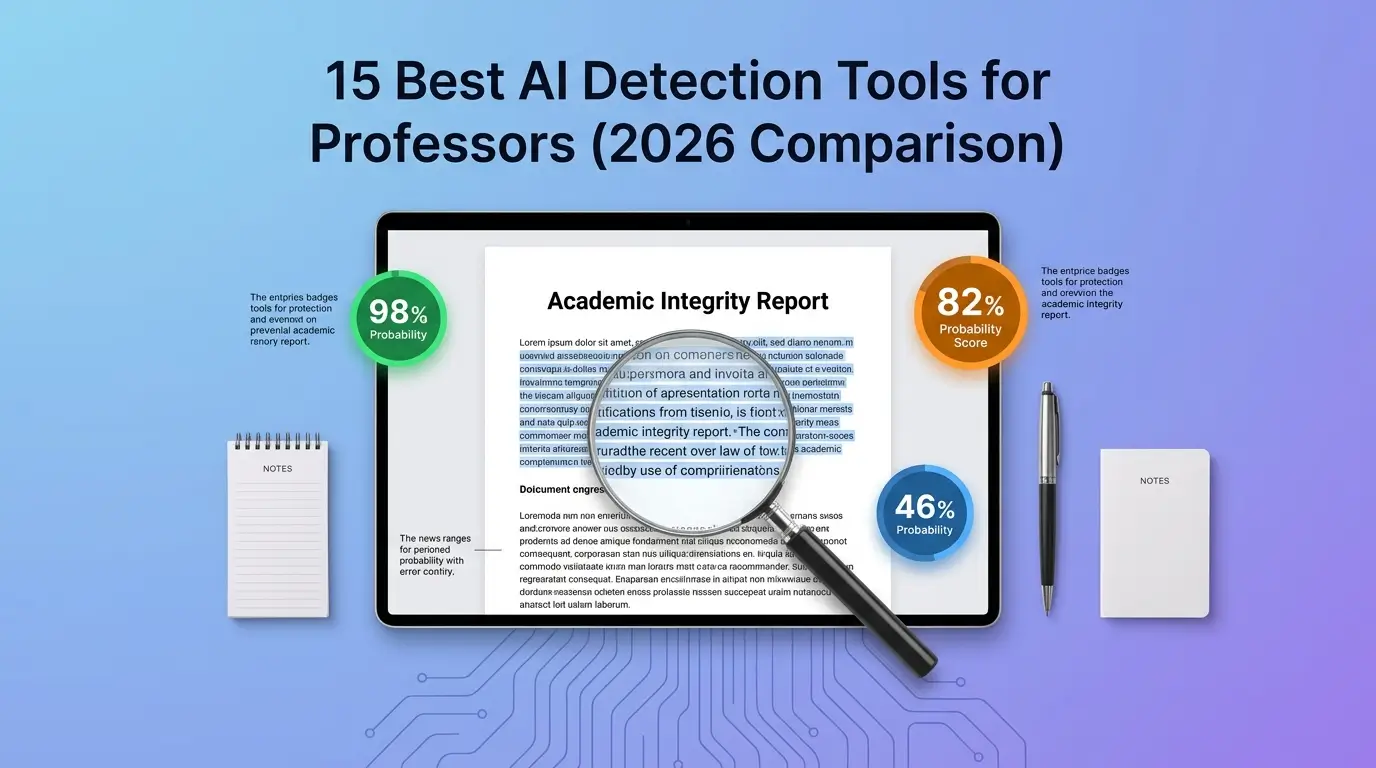
Compare 15 AI detection tools for professors: Turnitin, GPTZero, Pangram & more. See 2026 accuracy, false-positive rates & LMS integration data.
AI detection tools for professors, including Turnitin, GPTZero, Copyleaks, Originality AI, Grammarly, Winston AI, Pangram, ZeroGPT, Sapling, Scribbr, QuillBot, Crossplag, Proofademic, TraceGPT, and Content at Scale, analyze student submissions for AI-generated patterns using linguistic probability scoring. No single tool is 100 percent accurate, so the honest answer depends on your LMS, your class size, and how much false-positive risk you can tolerate.
This article compares all 15 side by side, and unlike most rankings in this space, none of them are ours to sell.
Key Takeaways
Turnitin is the most widely deployed AI detector in U.S. higher ed, mainly because it's already bundled into existing plagiarism licenses.
Independent testing shows a massive accuracy spread across these 15 tools, from around 46% up to the high 90s, far wider than any single vendor's marketing page admits.
Non-native English writers get falsely flagged at dramatically higher rates, one study found 61% versus 0% for native speakers.
LMS integration varies a lot. Turnitin is the only tool that natively supports Canvas, Blackboard, Moodle, and D2L Brightspace.
A detection score should never be the sole basis for an academic integrity finding. Every institution's policy treats it as one signal, not a verdict.
Quick Answer by Use Case
Your Situation | Best Fit |
Your university already licenses Turnitin | Turnitin, since it's already in your grading workflow |
You need the lowest false-positive risk | Pangram (self-reported 1 in 10,000) |
You teach a multilingual or ESL-heavy course | Copyleaks (30+ languages) or TraceGPT |
You want a purpose-built academic tool | Proofademic (sentence-level, 23 languages) |
You have no institutional budget | GPTZero's free tier (~10,000 words/month) |
You just need a quick, no-signup check | Scribbr or QuillBot |
You're on Blackboard or D2L Brightspace | Turnitin or Copyleaks (only two with native support) |
This table is a starting point, not a final verdict. Read the full comparison below before you commit to any single tool for a whole department.
Which AI Detection Tools Do Most Professors Use?
Turnitin is the most widely deployed AI detection tool in U.S. higher education because it ships inside the plagiarism-checking platform most universities already license. GPTZero and Copyleaks are the two most common supplementary detectors professors add for second-opinion verification on flagged submissions. The remaining tools, Originality AI, Grammarly, Winston AI, and Pangram, serve smaller but growing segments of the academic market.
Turnitin's AI writing detection is deployed at over 16,000 institutions globally. That institutional footprint makes it the default detector for most U.S. professors, regardless of whether they actively chose it or simply inherited it along with their school's existing Turnitin contract. Our full breakdown of is Turnitin accurate covers exactly what that default tool does and doesn't measure.
Side-by-Side Comparison of 15 AI Detection Tools for Professors
Each of these 15 tools uses linguistic pattern analysis to generate an AI probability score, but they differ significantly in accuracy, pricing, LMS compatibility, and false-positive rates. Where a vendor's own claim and an independent benchmark disagree, both are listed so you can see the gap for yourself.
Tool | Accuracy Claim | Independent Accuracy | False Positive Rate | LMS Integration | Free Tier |
Turnitin | Not stated as a single percentage | Not independently benchmarked publicly | Under 1% for documents over 300 words | Canvas, Blackboard, Moodle, D2L Brightspace | None, institutional only |
GPTZero | Not stated as a single percentage | 82-84% in independent academic benchmarks | 6-10% | Chrome extension only | Limited monthly scans (~10,000 words/mo) |
Copyleaks | Claims 99.12%+ accuracy | Not independently disclosed as a standalone figure | Not publicly disclosed | Canvas, Moodle, Blackboard | Free trial, limited pages |
Originality AI | Claims 99%+ accuracy | 91-97.5% in various independent tests | Not publicly disclosed | None, web dashboard only | None, pay-per-scan |
Grammarly | Ranked #1 by RAID benchmark | Not independently disclosed | Not publicly disclosed | Canvas, Blackboard, Moodle | Free basic tier, no AI detection |
Winston AI | Claims 99.98% accuracy | Not independently disclosed | Not publicly disclosed | None, web dashboard only | 2,000 words free |
Pangram | Claims 99.98% accuracy | High in independent benchmarks | 1 in 10,000 (self-reported) | Canvas, Moodle, Google Classroom | Free credits on signup |
ZeroGPT | Claims 98%+ accuracy | ~82% on human text, 88% on AI text | ~14.6% | None | Unlimited, ad-supported |
Sapling | Claims 97% accuracy | 76-79% overall, drops to 58% on humanized text | 17% (highest tested) | None | 2,000 characters per query |
Scribbr | Not stated as a single figure | 72.8-84% depending on tier | 9.2% (Axis Intelligence benchmark) | None | Unlimited, 1,200 words/scan |
QuillBot | Not stated as a single figure | ~78-80%, drops to ~60% on hybrid content | ~13% | None | Unlimited, 1,200 words/scan |
Crossplag | Not publicly stated | Not independently benchmarked at scale | Not publicly disclosed | None | Free starter credits |
Proofademic | Claims 99.8% accuracy | Not yet independently verified by a third party | Very low (self-reported) | None, standalone | First 1,000 words free |
TraceGPT (by PlagiarismChecker.org) | Claims 97% accuracy | Not independently benchmarked at scale | Not publicly disclosed | Browser extension, Google Docs, LMS, API | Limited free scans |
Content at Scale | Higher figures in vendor's own testing | 46-52% in independent testing | High false-negative rate reported | None | Unlimited, 2,500 characters/check |
That accuracy spread is the real story here. On paper, most of these tools claim somewhere between 97% and 99.98%. Once independent testers run the same samples through each one, the range stretches from the high 40s to the high 90s, which is a far bigger gap than any single vendor's comparison page will show you.
Tools to Be Cautious About for Academic Use
Not every tool on this list is fit for a classroom decision, and it's worth naming that directly rather than burying it in a footnote.
Content at Scale
Content at Scale is the clearest case. Independent testing found accuracy of only 46-52%, meaning it's barely better than a coin flip at distinguishing AI text from human text. It was built and trained on long-form SEO content, not academic writing, and its high false-negative rate means genuinely AI-generated essays routinely score as clean. It's fine for a casual, low-stakes glance at a blog draft. It's not appropriate for anything tied to a student's grade or an integrity finding.
Sapling
carries the highest independently tested false-positive rate in this comparison at 17%, and its accuracy drops to around 58% specifically on humanized AI text, which is exactly the kind of submission a professor is most likely to be checking. It's built primarily for developers and API integrations rather than classroom use, so that limitation tracks with its intended audience, but it's worth knowing before pointing students toward it as a self-check tool.
ZeroGPT's
free accessibility is genuinely useful for a quick, informal check, but a 14.6% false-positive rate is high enough that a formal academic integrity process built entirely around it would flag a meaningful share of honest students. Treat it as a first-pass tool, not a final one.
The pattern across all three is the same: free, unlimited, no-signup tools tend to trade away accuracy or false-positive control to stay that accessible. That tradeoff is fine for a student doing a personal sanity check before submission. It's a much bigger problem for a professor building a departmental policy around a single score.
How We Compared These Tools
The figures in this comparison come from two different sources, and we've kept them labeled separately throughout rather than blending them into one number. Vendor-claimed accuracy is whatever each company publishes on its own site or marketing material. Independent accuracy reflects third-party benchmarks, academic studies, and testing organizations that ran the same or comparable text samples through multiple tools rather than relying on any single vendor's self-reported figure.
Where independent data wasn't publicly available for a tool, that's stated plainly in the table rather than filled in with a guess. A missing number is more honest than a fabricated one.
What Each Detector Does Best
1. Turnitin
The only detector that ships natively inside the grading workflow most U.S. universities already use. Its AI detection feature runs automatically alongside plagiarism checks in Feedback Studio.
The primary limitation is that it's available only through paid institutional subscriptions, so individual professors and adjuncts without university access can't use it independently.
2. GPTZero
Built specifically for academic use cases, GPTZero provides sentence-level AI probability scores and categorizes text as human, mixed, or AI-generated. It supports English, French, and Spanish.
The primary limitation is the absence of native LMS integration. Professors have to copy-paste or upload files through the web dashboard or Chrome extension. Our review of is GPTZero accurate covers how it performs once it's actually scanning real submissions.
3. Copyleaks
Supports over 30 languages and provides explanations for why specific text segments were flagged. It offers both LMS integration and API access for institutional deployment.
The primary limitation is that the company itself acknowledges AI-assisted content may still be misclassified, particularly when students use paraphrasing tools. Our full breakdown of is Copyleaks accurate digs into that limitation in detail.
4. Originality AI
Offers continuous monitoring and real-time scanning updates, which is useful for programs that require ongoing content verification. It uses a pay-per-scan credit model rather than a subscription.
The primary limitation is the lack of LMS integration, which adds friction for professors grading inside Canvas or Blackboard. Our separate review of is Originality AI accurate covers its real-world performance beyond the vendor's own claims.
5. Grammarly
Combines AI detection with plagiarism checking, grammar correction, and the Authorship feature, which tracks a student's writing process from draft to submission.
The primary limitation is that the AI detection feature is available only through Grammarly for Education, not the free or individual Premium plans. If you're weighing Grammarly against a dedicated humanizing tool for other reasons, does Grammarly have a humanizer clears up a related mix-up we see often.
6. Winston AI
Provides a clean interface and fast scan times with a free tier of 2,000 words. It also includes OCR capabilities for scanning handwritten or image-based submissions.
The primary limitation is the absence of LMS integration and batch processing, making it impractical for large lecture courses.
7. Pangram
Claims the lowest false positive rate in the market at 1 in 10,000 and uses adversarial training to catch humanized AI text. It's FERPA compliant and SOC 2 Type 2 certified.
The primary limitation is that its accuracy claims are self-reported and haven't been independently verified by a third-party benchmark as of early 2026.
8. ZeroGPT
Fully free with no registration required for basic scans, and fast enough for a quick pre-submission check. It scores content at document, paragraph, and sentence level.
The primary limitation is accuracy versus the marketing claim. ZeroGPT advertises 98%+ accuracy, but independent testing measured closer to 82% accuracy on human text and 88% on AI text, with a false-positive rate around 14.6%, among the higher rates in this comparison.
9. Sapling
An API-first tool aimed more at developers and enterprise content moderation than individual professors, with a free tier that allows short queries up to 2,000 characters.
The primary limitation is accuracy on longer or humanized text. Independent benchmarks found 76-79% overall accuracy with a 17% false-positive rate, the highest among directly compared tools, and detection drops to around 58% on humanized AI text specifically.
10. Scribbr
Built for students, with unlimited free checks up to 1,200 words per submission and no account required, which makes it one of the most accessible options on this list.
The primary limitation is accuracy on newer models. Independent testing places Scribbr's free tier around 72.8-78% accuracy, with the premium tier (bundled through QuillBot) reaching about 84%, and a false-positive rate near 9.2% in third-party benchmarks.
11. QuillBot
QuillBot's AI detector is bundled into a broader paraphrasing and writing suite, with a genuinely free, no-account-needed tier at 1,200 words per scan.
The primary limitation is reliability on mixed content. Independent tests put overall accuracy around 78-80% on standard AI text, but that drops to roughly 60% on hybrid human-AI content, with a false-positive rate near 13%. QuillBot's own product page explicitly warns against relying on it alone for academic decisions.
12. Crossplag
Combines an AI detector with a plagiarism checker in a single-score interface aimed at academic use, letting a student or professor check both signals from one submission.
The primary limitation is scale. It's a smaller player with modest free credits, hasn't been independently benchmarked as widely as the larger tools on this list, and its strongest features sit behind paid credit bundles.
13. Proofademic
Purpose-built for academic review specifically, with sentence-level evidence, 23-language support, a "Paraphrase Shield" feature, and batch plus API access for institutional-scale scanning.
The primary limitation is independent verification. Proofademic markets a 99.8% accuracy figure and a very low self-reported false-positive rate, but as of this writing that claim hasn't been confirmed by a third-party benchmark the way GPTZero's or Originality AI's numbers have.
14. TraceGPT
Bundles AI detection with the company's existing plagiarism-checking infrastructure, and supports a browser extension, a Google Docs add-on, LMS integration, and API access, making it one of the more flexible tools on this list for where scanning actually happens.
The primary limitation is transparent pricing and independent benchmarking. Institutional pricing requires contacting sales, and its claimed 97% accuracy figure hasn't been tested at the same independent scale as GPTZero or Originality AI.
15. Content at Scale
Free with no account required and no character limit on daily use, which makes it accessible for quick exploratory checks.
The primary limitation is accuracy, and it's a significant one. Independent testing found detection accuracy of only about 46-52%, well below every other tool on this list, along with a false-negative rate high enough that AI-generated content regularly slips through undetected. It was built and trained primarily on long-form SEO content rather than academic writing, which likely explains the gap. This is not a tool worth relying on for anything consequential in a classroom setting.
Which AI Detector Has the Lowest False Positive Rate?
No AI detector has a publicly verified false positive rate of zero, and Pangram's self-reported claim of 1 in 10,000 is the lowest number any tool currently publishes. The honest answer is that all AI detection tools produce probabilistic estimates, not deterministic verdicts, and every tool will generate both false positives and false negatives depending on the specific text being analyzed.
How AI Detection Actually Works
AI detection tools evaluate student submissions using three core metrics.
Perplexity
Perplexity measures how predictable each word is given the words that came before it. AI-generated text has low perplexity because language models select the most statistically probable next word. Human writing has higher perplexity, because people make unexpected word choices, use slang, and break grammatical conventions.
Burstiness
Burstiness measures the variation in sentence complexity and length across a document. Human writing has high burstiness, a short punchy sentence followed by a long complex one followed by a fragment. AI-generated text has low burstiness because language models produce sentences of a more uniform length and structure.
Token Probability Analysis
Token probability analysis assigns a likelihood score to each individual word, or token, in the text. The detector calculates the probability that each token was produced by a language model rather than a human. When a high percentage of tokens in a passage carry high AI-generation probability, the tool flags that segment.
The most common false positives happen on short paragraphs under 100 words, where human writers naturally adopt uniform sentence structures, the exact pattern detectors associate with AI. A student writing a concise lab report introduction will often produce low-burstiness text that triggers a high AI probability score despite being entirely human-written. Our piece on why AI detectors flag certain writing covers this same mechanical issue in more depth.
Can Turnitin Actually Detect ChatGPT?
Turnitin's AI detection feature can identify text generated by ChatGPT and other large language models, but it can't do so with certainty. The tool flags text that exhibits statistical patterns consistent with LLM output, low perplexity, low burstiness, and high token predictability, not text it can definitively trace to a specific model.
Turnitin reports that its AI detection model has a false-positive rate of less than 1 percent for documents over 300 words. This means fewer than 1 in 100 human-written documents should be incorrectly flagged, for submissions meeting the minimum length threshold. The false-positive rate increases for shorter submissions, which is a real limitation for professors who assign short-response questions or discussion board posts. Our dedicated piece on can Turnitin detect ChatGPT walks through this exact question with more detail.
Turnitin itself states that its AI detection score shouldn't be used as the sole basis for academic misconduct allegations. The score is one data point within a broader review process, not a conclusion on its own.
Is There an AI Detector That Is 100% Accurate?
No AI detector is 100 percent accurate. All current tools produce probabilistic estimates based on statistical patterns in word choice and sentence structure. The underlying methodology can't distinguish with certainty between a human who writes in a highly structured style and a language model that happens to produce varied output. Any tool claiming 100 percent accuracy is making a marketing claim, not a technical one.
The Sensitivity vs Specificity Tradeoff
The fundamental tradeoff in AI detection is sensitivity versus specificity. A tool tuned to catch more AI-generated text will inevitably flag more human-written text as AI, and vice versa. There's no setting that eliminates both false positives and false negatives simultaneously.
Could Watermarking Fix This Eventually?
An emerging complementary approach called AI text watermarking embeds invisible statistical markers in LLM output at the point of generation. If widely adopted, watermarking could improve detection reliability by providing a deterministic signal rather than a probabilistic one. As of 2026, watermarking isn't yet standard across major LLM providers, and it doesn't address text generated by open-source models or older model versions.
Do AI Detectors Unfairly Flag Non-Native English Speakers?
Yes, independent research has confirmed that AI detectors disproportionately flag writing by non-native English speakers as AI-generated. This isn't a minor edge case. It's a systematic bias built into the detection methodology itself.
Why the Bias Happens
The bias occurs because detectors rely on perplexity and burstiness metrics. Non-native English speakers often produce text with lower perplexity, more predictable word choices drawn from a smaller active vocabulary, and lower burstiness, more uniform sentence structures learned through formal instruction. These are the same statistical patterns that detectors associate with LLM output.
What the Research Found
A study published in Patterns by Liang et al. found that GPT detectors falsely flagged 61.22 percent of essays written by non-native English speakers as AI-generated, compared to 0 percent of essays by native English speakers. A non-native speaker submitting authentic work is genuinely more likely than not to receive a false AI flag from certain detectors.
What to Do When a Non-Native Speaker Gets Flagged
When a flagged submission comes from a student whose first language isn't English, the responsible first step is to compare the flagged text against the student's earlier in-class writing samples before drawing any conclusions. A consistent writing style across timed in-class work and take-home assignments is strong evidence of authentic authorship, regardless of what the AI probability score says.
Which Detector Is Best for ESL or Non-Native Writers?
Professors teaching courses with significant international student populations should select detectors that have been tested for ESL fairness. Pangram claims its models are trained to be unbiased against non-native speakers, though this claim hasn't been independently verified. Copyleaks supports over 30 languages, which may reduce bias for multilingual submissions compared to English-only tools.
Which AI Detectors Integrate With Canvas, Blackboard, and Moodle?
Turnitin is the only AI detection tool that integrates natively with all four major U.S. higher-education LMS platforms: Canvas, Blackboard, Moodle, and D2L Brightspace. The remaining tools offer partial integration through APIs, LTI connectors, or browser extensions, which adds setup time and workflow friction.
Tool | Canvas | Blackboard | Moodle | D2L Brightspace | Google Classroom | Integration Method |
Turnitin | Yes | Yes | Yes | Yes | No | Native LTI |
GPTZero | No | No | No | No | No | Chrome extension |
Copyleaks | Yes | Yes | Yes | No | No | LTI + API |
Originality AI | No | No | No | No | No | Web dashboard only |
Grammarly | Yes | Yes | Yes | No | No | Grammarly for Education LTI |
Winston AI | No | No | No | No | No | Web dashboard only |
Pangram | Yes | No | Yes | No | Yes | LTI + API |
For professors on Blackboard or D2L Brightspace, Turnitin and Copyleaks are the only tools with native integration. GPTZero's Chrome extension provides a workaround, since it lets you scan text inside any browser-based LMS, but it requires manual copy-pasting and doesn't embed scores into the gradebook.
If you want to see exactly how detection plays out on the specific platform your school runs, our breakdowns of does Canvas have an AI detector, does Blackboard have an AI detector, and does Moodle have AI detection each go deeper into that specific system's setup.
LMS integration matters because it determines whether AI detection scores appear inside your existing grading workflow or require a separate login and manual data transfer. A tool that adds five minutes per submission won't survive a 200-student lecture course.
Free vs Paid AI Detectors for Teachers: What Does Each Tier Include?
Free AI detection tiers are sufficient for professors teaching small seminars with fewer than 30 students per term. For larger courses, the per-scan limits and missing features of free tiers make paid plans or institutional licenses necessary.
Tool | Free Tier Limit | Individual Paid Price | Institutional Pricing | Batch Processing |
Turnitin | None | Not available to individuals | Institutional site license, contact sales | Yes |
GPTZero | Limited monthly scans | ~$10/month (Pro) | Custom enterprise pricing | Yes (paid tiers) |
Copyleaks | Free trial, limited pages | ~$10.99/month | Custom enterprise pricing | Yes (paid tiers) |
Originality AI | None | Pay-per-scan (~$0.01/credit) | Not available | Yes |
Grammarly | Free basic, no AI detection | ~$12/month, no AI detection | Grammarly for Education, custom | Yes |
Winston AI | 2,000 words | ~$12/month (Essential) | Not available | No |
Pangram | Free credits on signup | Custom pricing | Custom institutional pricing | Yes (paid tiers) |
Turnitin's AI detection feature is available only through institutional subscriptions and isn't sold to individual users. Adjunct professors and graduate teaching assistants at institutions without a Turnitin license have to use alternative tools instead.
The most cost-effective model for department-wide deployment is an institutional site license, where the university pays a single annual fee for unlimited scans across all courses. Per-seat and per-submission pricing models become expensive quickly at scale, and a professor grading 300 submissions per term on a per-scan plan will exceed the cost of a site license within one academic year.
Batch processing is the feature that most clearly separates free from paid tiers. Free plans typically require one-at-a-time uploads through a web interface, while paid plans let professors upload an entire folder of student submissions and receive a batch report with AI probability scores for every file.
Can AI Detection Results Be Used as Evidence in an Academic Integrity Hearing?
An AI detection score alone isn't sufficient evidence for a formal academic integrity finding at most U.S. universities. The probabilistic nature of the technology means a high score indicates statistical consistency with AI-generated text, not definitive proof of AI use.
Most institutional academic integrity policies require corroborating evidence before imposing sanctions. Acceptable corroborating evidence includes discrepancies between the flagged submission and the student's prior writing samples, the absence of draft history or version tracking data, the student's inability to explain specific arguments or citations from the paper, or a direct admission of AI use.
The recommended practice is human-in-the-loop review. The AI detection score flags a submission for closer examination, but a human evaluator makes the final determination. This protocol protects both the student's due process rights and the institution's legal position in the event of a grade appeal.
A Recommended Protocol for Professors
Set an AI probability score threshold, such as above 70 percent, that triggers human review, not automatic accusation.
Compare the flagged submission against the student's prior in-class writing samples and any available draft history.
Conduct a conversation with the student before initiating any formal proceedings.
Document all findings, including the detection score, the tool used, the date of the scan, and any corroborating evidence.
Notify students at the start of the term that AI detection tools may be used on their submissions.
The most common mistake professors make is treating a high AI probability score as proof of misconduct. A 95 percent AI score means the text's statistical patterns are consistent with LLM output. It doesn't mean the text was definitively generated by AI. Acting on the score alone exposes the institution to grade appeals and potential legal challenges.
Professors should also be aware that FERPA governs how student educational records are handled. While AI detection scores aren't explicitly addressed in FERPA's text, the law's general principle is that student work shouldn't be shared with third parties without consent. Using a cloud-based AI detector that stores student submissions on external servers may raise FERPA compliance questions, particularly if the tool's terms of service allow the provider to use submitted text for model training. Pangram and Grammarly for Education explicitly state they don't use student text for training. Other tools vary, so it's worth checking each vendor's policy directly.
How Do I Implement AI Detection in My Course Workflow?
AI detection works best when it's embedded in a structured grading workflow rather than applied reactively after a suspicious submission appears. The most effective approach combines a clear syllabus policy, a consistent scanning protocol, and a human review process that protects student due process.
Step-by-Step: Adding AI Detection to Your Grading Process
Add a clear AI use policy to your course syllabus before the first class meeting.
Select a detection tool that integrates with your LMS and supports your assignment formats.
Set an AI probability score threshold that triggers human review, not automatic penalties.
Run batch scans on each assignment submission batch before beginning detailed grading.
Review segment-level breakdowns for flagged submissions and compare against draft history.
Document findings and hold a student conversation before escalating to formal proceedings.
The syllabus AI policy statement is the foundation of the entire workflow. Without a written policy that defines what constitutes acceptable and unacceptable AI use in your course, a detection score has no policy basis to act on. The policy should specify whether AI use is prohibited entirely, permitted for specific tasks like brainstorming or grammar checking, or allowed with disclosure and citation.
How to Handle a Student Who Disputes an AI Detection Result
Student disputes over AI detection scores are increasingly common, and professors need a structured response protocol before the first dispute arises.
The first step is to share the segment-level breakdown with the student, showing exactly which sentences or paragraphs triggered the high AI probability score. This moves the conversation from an abstract accusation to a specific, discussable set of text passages.
The second step is to ask the student to walk through their writing process. Request their draft history, notes, or outline, and ask them to explain a specific argument or citation from the flagged paper in real time. A student who genuinely wrote the work can articulate their reasoning, while a student who pasted AI output typically can't.
The third step is to make a determination based on the totality of evidence, not the detection score alone. If the student can produce draft history, explain their arguments, and demonstrate consistent writing style across in-class and take-home work, the detection score is likely a false positive. If the student can't explain their own paper and has no draft history, the detection score becomes one piece of a larger evidentiary picture.
If your own students are using AI tools to draft and want to make sure the final work reads honestly and naturally, pointing them toward our guide on how to make ChatGPT sound more human is more productive than a blanket ban most students will route around anyway.
FAQs
Which AI detectors do most professors use?
Turnitin is the most widely deployed AI detector in U.S. higher education because it integrates directly into existing institutional plagiarism-checking workflows. GPTZero and Copyleaks are the most common supplementary tools professors use alongside Turnitin for second-opinion verification.
What is the best AI detector for academic work?
There isn't a single best answer. Turnitin fits best for institutions with an existing LMS-wide license. Pangram claims the lowest false-positive rate. Copyleaks fits multilingual departments. The right choice depends on your LMS, class size, and how much false-positive risk your policy can tolerate.
Can Turnitin actually detect ChatGPT?
Turnitin can identify text with statistical patterns consistent with ChatGPT and other large language models, but it can't do so with certainty or trace text to a specific model. It reports a false-positive rate under 1 percent for documents over 300 words, with reliability dropping on shorter submissions.
Is there an AI detector that is 100% accurate?
No. Every current AI detector produces a probabilistic estimate based on statistical text patterns, not a certainty. Any tool marketed as 100 percent accurate is making a marketing claim rather than a technical one, since no methodology can eliminate both false positives and false negatives at once.
Which AI detector has the lowest false positive rate?
Pangram publishes the lowest self-reported figure at 1 in 10,000, though this hasn't been independently verified by a third-party benchmark. No detector has a publicly confirmed false-positive rate of zero.
Is there a free AI detector that works for grading essays?
GPTZero offers a free tier with limited monthly scans suitable for small classes. ZeroGPT provides free per-scan checks with a word limit. For courses with more than 30 students, free tiers are typically insufficient, and an institutional license becomes more practical.
Can AI detection results prove a student used ChatGPT?
No. AI detection tools produce probabilistic estimates, not definitive proof. A high score indicates statistical patterns consistent with AI generation, but it can't identify the specific tool used or rule out human authorship. Corroborating evidence is always required.
Do AI detectors work on paraphrased or humanized AI text?
Detection accuracy drops significantly when AI output is run through paraphrasing tools. Some detectors, including Pangram and Copyleaks, use adversarial training specifically designed to catch humanized text, but no tool catches all paraphrased content reliably.
What is the difference between AI-generated and AI-assisted writing?
AI-generated writing is produced entirely by a language model with minimal human editing. AI-assisted writing involves a human author who used AI for brainstorming, outlining, or grammar polishing. Most detectors can identify fully generated text but struggle to distinguish light AI assistance from full generation.
Do I need to tell my students I am using an AI detector?
Most U.S. universities recommend or require that professors disclose AI detection use in their syllabus. Transparency reduces student anxiety, supports due process in integrity proceedings, and aligns with FERPA-adjacent expectations about how student work gets evaluated.
Is an AI detector the same as an AI checker or AI text checker?
Yes, these are different names for the same category of tool. Whether it's called an AI detection tool, an AI checker, an AI text checker, an AI writing checker, or an AI paper checker, all of them work the same way: analyzing perplexity, burstiness, and token probability to estimate whether a language model produced the text.
How do I tell if a student used AI on an essay?
Run the submission through an AI detector for essays to get a probability score, but don't stop there. Detecting AI in student work reliably also means comparing the flagged text against the student's earlier writing samples and having a direct conversation about their drafting process, since detecting artificial intelligence in writing is a probability estimate, not a certainty.
Is there a simple way to check "did AI write this"?
Paste the text into any of the tools compared above, or use our free AI Detector for a quick check. Keep in mind that a single score answering "did AI write this" is never conclusive on its own, regardless of which tool produced it.
Conclusion
There's no single best AI detector for professors. Turnitin wins on LMS footprint, Pangram on false-positive control, GPTZero on free access, Copyleaks and TraceGPT on multilingual and LMS integration. The right pick depends on your LMS, class size, and student population.
The bigger takeaway is the gap between marketing and reality: vendor claims cluster near 99%, independent testing spreads from under 50% to the high 90s. Treat any single score as a starting signal, not a verdict.
Check your own writing with our free AI detector, or use our humanizer to help AI-assisted drafts read naturally.