How to Prompt AI to Write Like a Human: 20 Prompts (2026)
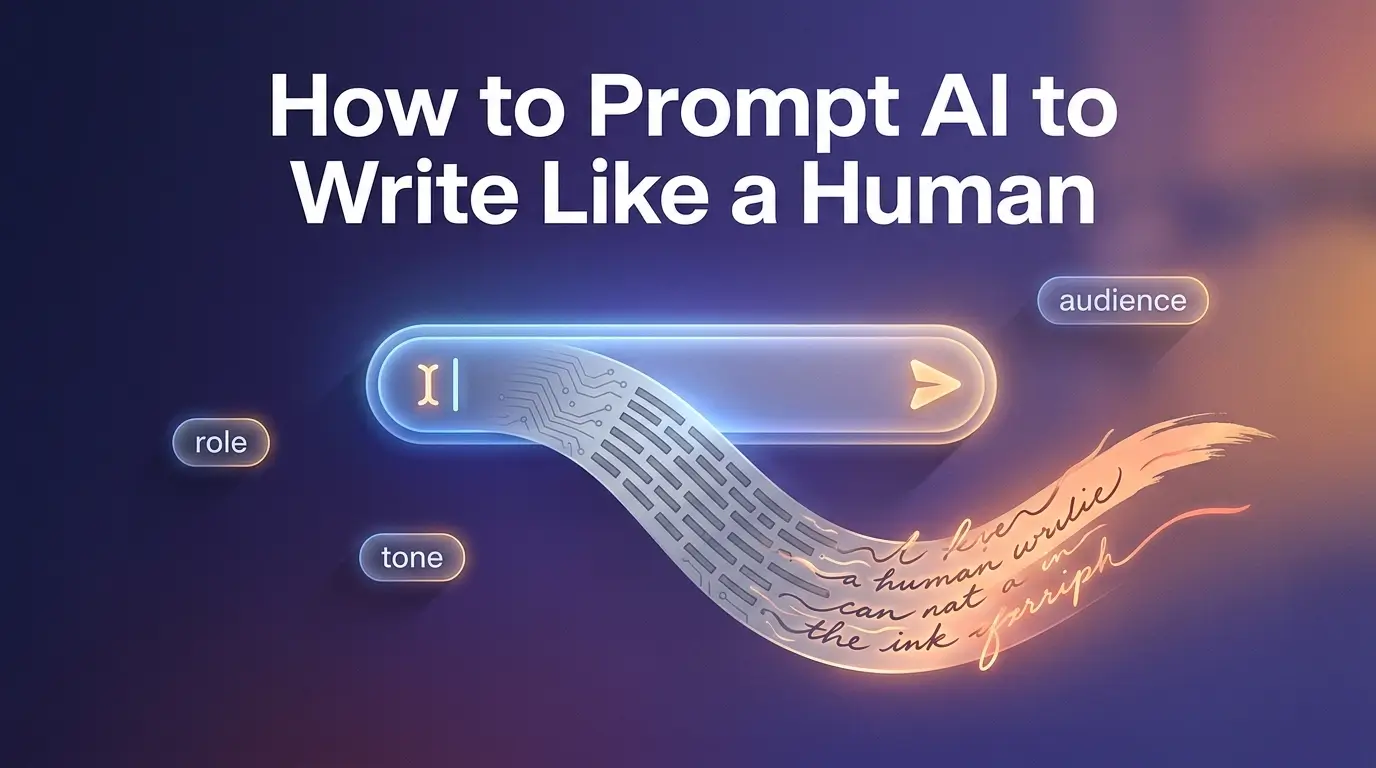
How to prompt AI to write like a human: a simple step-by-step method, 20 copy-paste prompts for ChatGPT, Gemini & Claude, & a quick human edit.
AI writing often sounds stiff and generic, full of phrases like "in today's digital age" and "leveraging cutting-edge solutions." The fix usually isn't a better tool. It's a better prompt.
When you tell the AI who it is, who it's writing for, what tone you want, and which words to avoid, the output starts to sound like a real person. This guide shows you exactly how to prompt AI to write like a human, with copy-paste prompts for ChatGPT, Gemini, and Claude plus the quick human edit that ties it all together.
Key Takeaways
The core method: one simple prompt pattern, role + audience + tone + banned words that fixes robotic AI writing.
The 3-prompt rule: why outlining first, then drafting, then humanizing beats one giant prompt.
20+ copy-paste prompts for ChatGPT, Gemini, and Claude you can use right away.
A robotic-words ban list, plus the natural words to use instead.
How AI detectors actually work (perplexity, burstiness) and how to sound human the honest way.
A quick edit checklist that takes any draft from "sounds like AI" to "sounds like you."
How to Prompt AI to Write Like a Human
If you only read one section, read this. Here's the step-by-step prompt pattern that works in ChatGPT, Gemini, Claude, and most other models, just adapt the wording for each tool.
# | Step | What you tell the AI | Mini example |
1 | Set the role | Give it a persona | "You are an experienced blogger." |
2 | Define the audience | Say who will read it | "You're writing for beginner bloggers in the USA." |
3 | State the goal | Explain the outcome | "Explain this topic so it feels natural and easy to follow." |
4 | Describe the tone | Be specific about style | "Conversational. Use contractions. Mix short and long sentences." |
5 | Give a structure | Provide an outline | "Intro with a short story → 3–4 points with examples → short conclusion." |
6 | Ban robotic phrases | List words to avoid | "Don't use 'in today's digital age,' 'cutting-edge,' 'leverage,' 'moreover.'" |
7 | Ask for a rewrite pass | Request a humanize step | "Now rewrite the draft to sound more human and natural." |
8 | Edit by hand | Do a final human pass | Read it out loud, cut fluff, add your own example. |
That's the whole method in one table. The rest of this guide explains why each step works and gives you ready-made prompts to copy.
What Is Human-Like AI Writing? (And What It Isn’t)
Human-like vs. "fooling AI detectors"
A lot of people assume "human-like" means "cannot be detected as AI." That's the wrong goal.
Human-like AI writing means the text feels like a real person who cares about the topic. It sounds natural, clear, and specific, not like a textbook or a corporate press release. It fits the audience and context, whether that's a blog, a school essay, a LinkedIn post, or code comments. And it shows some personal voice instead of generic filler.
AI detectors try to guess whether text is machine-generated based on patterns, and most of them say their results are probabilities, not proof. They also admit they sometimes flag human writing by mistake and miss AI writing. So no prompt can promise to "beat detection" every time. The safer, smarter goal is people-first content that's honest and useful.
Traits of human-sounding writing
Human-sounding writing usually shares a few traits:
A conversational tone: like talking to a smart friend over coffee, not reading a policy manual.
Natural sentence flow: a mix of short and long sentences. Some start with "And" or "But." Not every sentence has the same shape.
Emotional depth and empathy: a sense that the writer understands the reader's problems.
Specific examples and stories: real scenarios, not only abstract talk.
Audience awareness: a blog for new WordPress users shouldn't read like a research paper.
A consistent voice: one clear personality, not a different style every paragraph.
Teach your AI to copy these traits and your text will feel far more human.
Why Does AI Writing Sound Robotic?
Why AI Defaults to a Robotic Tone
Tools like ChatGPT and Gemini are large language models. In plain terms: they read huge amounts of text during training, and when you type a prompt, they predict the next word that fits, over and over. Because they pick the most probable words, they tend to use safe, common phrases, stick to familiar sentence patterns, and avoid strong opinions unless you ask for them.
That's why default output so often sounds like: "In today's digital age, leveraging cutting-edge technology is essential…" You've seen that line a hundred times.
Common "AI tells", and how to fix them
AI tell | What it looks like | Human fix |
Uniform rhythm | Every sentence is the same length and shape | Mix short punchy lines with longer ones |
Overused connectors | "Moreover," "Furthermore," "In addition" everywhere | Cut most of them; let sentences flow naturally |
Buzzword soup | "Cutting-edge," "game-changing," "unlock the power of" | Use plain, direct words |
Monotone voice | Too formal, no warmth, no angle | Add a personal point of view |
Generic advice | "You should improve your sleep" with no how | Add specific, concrete steps |
Over-polished grammar | Zero contractions, no casual phrasing | Use contractions; let it breathe |
AI Words to Avoid: The Banned-Word List
Keep this swap list next to you when you write or edit:
Avoid (AI cliché) | Use instead |
In today's digital age | Today / Right now / These days |
Leverage / Utilize | Use |
Cutting-edge / State-of-the-art | New / Advanced / The latest |
Game-changing / Revolutionize | Big / Important / Changes how you… |
Seamless experience | Smooth / Easy / Works without fuss |
Moreover / Furthermore | Also / And / On top of that |
Unlock the power of | Get the most from / Make the most of |
It is important to note that | (Just say the thing) |
In conclusion | So / Here's the bottom line |
How Do AI Detectors Work?
Many detectors borrow ideas from natural language processing. They tend to look at three things:
Signal | What it measures | How to sound more human |
|---|---|---|
Perplexity | How predictable each word is in context | Use more varied, less "obvious" word choices |
Burstiness | How much sentence length and structure change | Mix sentence lengths and openings |
Stylometry | Style features: vocabulary, punctuation, rhythm | Write with a distinct, consistent voice |
Vendors explain that they use language models and style features to compute a score, not a simple keyword check. That's exactly why swapping a few words isn't enough. You have to change structure, rhythm, and voice to make AI text feel human.
Prompt Engineering Basics for Human-Like Output
The four core parts of a strong humanizing prompt
Every good prompt for human-like writing has four parts:
Role (persona): Who is speaking? "Act as a friendly blogging coach."
Audience: Who will read it? "Beginner bloggers in the USA."
Purpose and outcome: Why are you writing, and what should readers get? "Help them feel confident enough to publish their first post."
Structure and constraints: How should it look and sound? Outline, tone, and a list of banned words.
(Stretch this to five parts, adding a final Polish step and you get the "5 P's of prompting," which we cover in the FAQ.)
System prompts, user prompts, and custom instructions
Most LLMs take two kinds of input: a system prompt or settings that stay in the background, and a regular user prompt where you ask for the current task.
In ChatGPT, open Customize ChatGPT and set "What would you like ChatGPT to know about how it should respond?" Paste a short version of your style rules there, for example:
Use a conversational tone.
Use contractions and mix short and long sentences.
Avoid "in today's digital age," "cutting-edge," "game-changing," "moreover," and "furthermore."
Always include at least one concrete example.
Now every answer starts to sound more human, and you don't have to repeat yourself. You can do the same in Gemini and Claude by leading with a clear style description in your first message.
Why multi-step prompting beats one giant prompt
Many beginners paste one huge prompt and ask for a full 1,500-word article in a single shot. That usually produces a generic, robotic result. A better approach is the 3-prompt rule:
Prompt | Purpose |
1: Outline | Ask the AI to create a detailed outline for your topic and audience. |
2: Draft sections | Ask it to write the intro first, then each section one at a time, using your style rules. |
3: Humanize & edit | Ask it to spot robotic patterns, then rewrite with better rhythm, real examples, and no banned words. |
This gives you more control and almost always produces more human writing.
The 5-Step Framework to Make AI Write Like a Human
Step 1: Choose the model and set your baseline style
Pick the right tool, then lock in your default voice.
ChatGPT (GPT-4-class): Great for long-form articles, essays, and marketing copy. Use Custom Instructions for your default human voice.
Gemini: Good for Google-connected tasks and mixed media. Give it a very clear role, audience, and banned-phrase list up front.
Claude: Known for long context and a careful tone. Ask it to be less formal and more conversational.
In your first message, always include something like:
"Use a conversational, human tone. Write like a real person talking to another person. Use contractions. Mix short and long sentences. Avoid clichés like 'in today's digital age' and words like 'leverage,' 'utilize,' 'game-changing,' and 'cutting-edge.'"
Step 2: Plan your content like a human
Before the AI writes a word, you plan: who you are (role), who your readers are (audience), what questions they have (search intent), and what structure fits best (guide, list, story, FAQ). Matching search intent is one of the most important things you can do for both ranking and reader satisfaction.
So ask yourself whether the reader is trying to learn something (informational intent) or do something, like write an essay or email (functional intent). Then tell the AI:
"Create an outline for a blog post that teaches [audience] how to [goal]. Include an intro with a short story, 3–5 main sections with practical tips and examples, and a short conclusion."
Approve or adjust the outline before moving on.
Step 3: Generate section by section
Don't ask for the whole article at once. Ask for the intro only. Then Section 1 only. Then Section 2. Continue until you're done. For each section, include instructions like:
"Start with a short, real-life scenario."
"Add at least 2 practical examples."
"Use simple language. Explain it like I'm in 5th grade."
"Avoid 'in today's digital age,' 'furthermore,' and 'it is important to note.'"
Step 4: Run humanization prompts
Once you have a full draft, run a few targeted prompts:
Remove clichés: "Rewrite this section without 'in today's digital age,' 'cutting-edge,' 'game-changing,' 'seamless experience,' 'moreover,' or 'furthermore.' Use simple, direct wording."
Improve variety: "Improve the sentence variety here. Mix short and long sentences. Don't start every sentence the same way."
Make it conversational: "Rewrite this like you're explaining it to a smart friend over coffee. Keep the facts, but make it relaxed and clear."
Add examples: "Add 2–3 specific, real-world examples so this feels more practical and human."
Step 5: Do a quick human edit
No matter how good your prompts are, you still need a human pass. Google's guidance on helpful content is clear that readers should leave your page feeling like they learned enough to reach their goal. A quick edit helps with exactly that:
Read it out loud.
Fix anything that sounds stiff or fake.
Remove repeated ideas and filler.
Add at least one small personal story, lesson, or opinion.
Make sure it matches your brand voice or academic level.
How to Make ChatGPT, Gemini & Claude Write Like a Human
Different models have different default personalities. Here's how to handle the big three.
Model | Best for | Key tip to sound human |
ChatGPT | Long-form articles, essays, marketing copy | Save your style rules in Custom Instructions so every reply starts human |
Gemini | Google-connected and mixed-media tasks | Lead with a warm, conversational tone and an explicit banned-phrase list |
Claude | Long, careful, detailed documents | Tell it to "be less formal, more conversational" and use simpler words |
Grok / others | General writing | Same humanization prompts apply; ask for small imperfections and casual phrasing |
How to make ChatGPT write like a human
Use Custom Instructions and set rules like: conversational tone, contractions, mixed sentence lengths, a banned-phrase list, and "always include at least one concrete example." A shortened "master" style snippet you can save:
Use clear, simple, spartan language. Use short, impactful sentences. Use active voice and direct "you" language. Avoid em dashes, hashtags, markdown, and clichés like "in conclusion," "in today's world," "cutting-edge," "game-changing," "unlock," "leverage," and "utilize." Focus on practical, actionable insights.
Prompt to make Gemini write like a human
When starting a Gemini chat:
"You are a helpful writer. Write like a real person, not a robot. Use a warm, conversational tone. Use contractions. Mix short and long sentences. Avoid phrases like 'in today's digital age,' 'leveraging,' 'cutting-edge,' 'game-changing,' and connectors like 'moreover' or 'furthermore.' Always give at least one clear example that fits readers in the USA."
Then add your role, audience, purpose, and structure.
Using Claude and other models
Claude, Grok, and similar models often default to polite, careful, somewhat formal writing. Be explicit: "Be less formal, more conversational," "Use simple words, like explaining to a 5th-grade student," and "Add small imperfections and casual phrases, but stay clear." The same humanization prompts above still work.
Copy-Paste Prompts to Make AI Write Like a Human
Here are ready-to-use prompts. Swap in your own details and go.
Master prompt to create new human-like content
"You are an experienced [role]. You are writing for [audience] in the USA who struggle with [problem]. Your goal is to help them [outcome] in a clear, human, and practical way. Use a conversational tone. Use contractions (don't, can't, it's). Mix short and long sentences. Avoid 'in today's digital age,' 'cutting-edge,' 'game-changing,' 'leverage,' 'utilize,' and connectors like 'moreover' or 'furthermore.' Follow this structure: [outline]. In each section, add at least 2 specific examples that feel real and relatable. Write in simple English, easy enough for a 5th-grade student."
Prompt to rewrite existing AI text into human writing
"Rewrite the following AI-generated text so it sounds like a real person wrote it. Keep the meaning, but make the tone conversational, warm, and clear. Use contractions. Mix short and long sentences. Remove robotic phrases, stiff connectors, and generic buzzwords. Make it easy for a 5th-grade student in the USA to understand."
Prompt to remove AI clichés and giveaway words
"Rewrite this text and remove AI clichés and buzzwords. Do not use 'in today's digital age,' 'cutting-edge,' 'game-changing,' 'seamless experience,' 'unlock the power of,' 'leverage,' 'utilize,' 'moreover,' 'furthermore,' or 'in conclusion.' Replace them with simple, direct, human phrases."
Prompt to improve sentence variety and rhythm
"Improve the sentence variety and rhythm in this paragraph. Mix short and long sentences. Avoid starting multiple sentences the same way. Make it sound natural and a bit more spontaneous, like a human wrote it."
Prompt to add stories and examples
"Rewrite this section and add 2–3 specific real-world examples or mini-stories that a reader in the USA can relate to. Keep the tone friendly and conversational. Make sure the examples are practical and not exaggerated."
Prompt to add personality (without going overboard)
"Rewrite this content with a bit more personality. Add small asides, mild humor, or honest observations that sound authentic. Don't overdo jokes or slang. Keep it clear and focused on helping the reader."
Human-Like AI Prompts by Use Case (Blogs, SEO, Marketing, Essays, Code)
For bloggers and SEO writers
"Write a 300-word blog section about [topic] for beginner bloggers in the USA. Use a friendly, conversational tone. Explain ideas in simple words. Add at least 2 practical examples. Include related search questions and terms naturally, but don't stuff keywords. Avoid robotic phrases and over-formal language."
This also supports semantic SEO by asking for related queries and natural keyword use.
For content marketers and social media creators
"Write a LinkedIn post about [topic] for [audience]. Use a direct, benefit-focused style: clear and simple. Start with a strong hook. Use short paragraphs or bullet points. Avoid emojis, hashtags, and dramatic marketing hype. Make it sound like a real person sharing a useful insight."
For academic essays and student papers (use ethically)
"Explain [concept] like a college student writing in their own words. Use clear, simple language. Add hedging words like 'might,' 'may,' or 'could' when the evidence isn't certain. Refer to common theories or debates in the field, but avoid fake citations or made-up studies. The tone should be formal but still human and readable."
Important: Use AI to understand, outline, and draft but follow your school's academic integrity rules. Many schools use tools like Turnitin's AI detector and expect your own original thinking.
For code "like a human"
"Act as a senior [language] developer. Write code that looks like a human teammate wrote it. Use clear variable and function names, helpful comments, and simple, idiomatic patterns. Avoid over-abstracting or adding extra layers that aren't needed. After the code, explain in plain English (5th-grade level) what it does and why you chose this structure."
How to Humanize AI Text (Without Trying to Beat Detectors)
What detectors actually look at
Most detectors (like GPTZero or Originality.ai) use language models and stylometric signals, not a simple scan for "AI words." They look at how predictable each word is (perplexity), how much sentence length and structure change (burstiness), repeated patterns in connectors, and style features like punctuation and rhythm. They also state that their results are probabilities, not hard evidence, and that they can make mistakes.
A prompt to reduce AI-style patterns
Target the structure, not just the words:
"Analyze this text and list the main AI-style patterns you see (repetitive sentence structures, over-formal connectors, generic advice). Then rewrite it to sound more spontaneous and human. Add slight imperfections. Keep all key ideas accurate."
Why chasing "undetectable AI" is risky
Trying to "beat AI detectors" at any cost can break your school's rules or your company's policies, damage trust with readers and clients, and waste your time because detectors and models keep changing. Google's guidance says to create helpful, reliable, people-first content, not content built mainly to manipulate rankings or systems. Focus on real value and a clear voice instead of tricks.
How to Edit AI Writing So It Sounds Human (Checklist)
Read it out loud. Robotic spots jump out, sentences that run too long, repetition, phrases you'd never actually say.
Cut fluff and repeated ideas. Ask each sentence: does this add something new? If not, delete it.
Match the tone to your real audience. More examples for beginners, more nuance for experts, more outcomes for executives. You can ask AI: "Rewrite this for [audience]. Keep it clear and human, and use language they'd naturally use."
Add your own experience and insight. This is the easiest way to boost E-E-A-T. Add a short personal story, a mistake you learned from, or a client example (without breaking privacy). No model can fake your real experience.
Do a final humanizing pass: "Review this content as a human editor. Remove robotic phrasing, improve sentence flow, add smoother transitions, and keep the meaning the same. Make sure it sounds natural, conversational, and helpful for readers in the USA."
Then decide for yourself whether it sounds enough like you.
FAQs
How do I make AI sound more human? (the prompt)
Drop the formal voice and tell it to write like a person:
"Write this in a conversational, human tone. Use contractions, mix short and long sentences, and add one real example. Avoid clichés like 'in today's digital age,' 'leverage,' and 'cutting-edge.'"
What's a good prompt to make Gemini write like a human?
Open your Gemini chat with this, then add your role, audience, and structure:
"You are a helpful writer. Write like a real person, not a robot. Use a warm, conversational tone and contractions. Mix short and long sentences. Avoid 'in today's digital age,' 'leveraging,' 'cutting-edge,' 'moreover,' and 'furthermore.' Always give one clear example."
How do I turn AI writing into human writing?
Three quick passes: remove buzzwords, fix the rhythm (vary sentence length), and add specifics (real examples and your own voice). One all-in-one prompt:
"Rewrite this AI text so it sounds human. Keep the meaning, vary the sentence lengths, remove buzzwords, and add one concrete example."
Can I ask ChatGPT to humanize text I already have?
Yes. Paste your text and say: "Humanize this, conversational tone, contractions, mixed sentence lengths, no clichés or buzzwords." Then edit it, since ChatGPT can't add your voice or experience.
What is the best prompt to humanize AI text?
There's no magic sentence, but this one is reliable:
"Rewrite this to sound human. Use a warm, conversational tone and contractions. Mix sentence lengths, remove buzzwords and stiff connectors, add one relatable example, and keep the facts accurate."
How do I prompt an AI correctly?
Be specific so it doesn't guess. A good prompt has a role, audience/context, a clear task, format and constraints, and ideally an example. Vague prompts get vague answers.
What is the 3-prompt rule?
Instead of asking for a whole article at once, split it into three prompts: (1) outline, (2) draft section by section, and (3) humanize and edit. Working in stages gives more control and sounds far less robotic.
What are the 5 P's of prompting?
A memory aid for a strong prompt. One popular version is Prime, Persona, Privacy, Product, Polish; for writing, think Persona (role), Purpose (goal), People (audience), Parameters (tone/format/limits), and Polish (the edit pass).
What is the 2-3-1 rule in writing?
From Roy Peter Clark's Writing Tools: put your strongest point last (1), your second-strongest first (2), and the weakest in the middle (3). Endings stick with readers, so you save the best for last and open strong.
Can AI really write like a human?
It gets very close with clear prompts and a good edit, but it still needs your judgment, real experience, and a final review.
Will humanized AI content always bypass AI detectors?
No. Detectors use shifting statistical patterns and make mistakes, so no method guarantees a 0% score. Focus on honest, helpful content.
Is Google against AI-generated content?
No. Google allows it as long as it's helpful and reliable, not made mainly for game rankings. Quality and E-E-A-T matter more than the tool.
Do I still need to edit AI writing if my prompts are good?
Yes. AI doesn't know your full context or experience, so a 10–15 minute human edit is usually what separates "sounds like AI" from "sounds like you."
Conclusion
Getting AI to write like a human isn't about finding one secret prompt. It's a simple, repeatable habit: tell the model who it is and who it's writing for, describe the exact tone you want, hand it a structure, ban the robotic phrases, and work in stages instead of one giant request. Then you do the part no model can, a quick human edit that adds your voice, your examples, and your point of view.
Start small. Pick one prompt from the library above, run it on your next piece, and do a five-minute read-aloud edit. You'll feel the difference immediately. Do it a few more times and your own "house style" prompt will come together, so every draft starts in your voice instead of a generic one. If a shortcut helps along the way, you can humanize a draft here and check the AI score here, just keep that final edit human.
The bigger goal isn't tricking a detector, it's writing content that's clear, useful, and genuinely worth a reader's time. Nail that, and human-sounding writing takes care of itself. Now open your favorite tool, grab a prompt, and go make something that sounds like a real person wrote it. Because, with a little editing, one did.