Does Google Classroom Have an AI Detector? (2026 Guide)
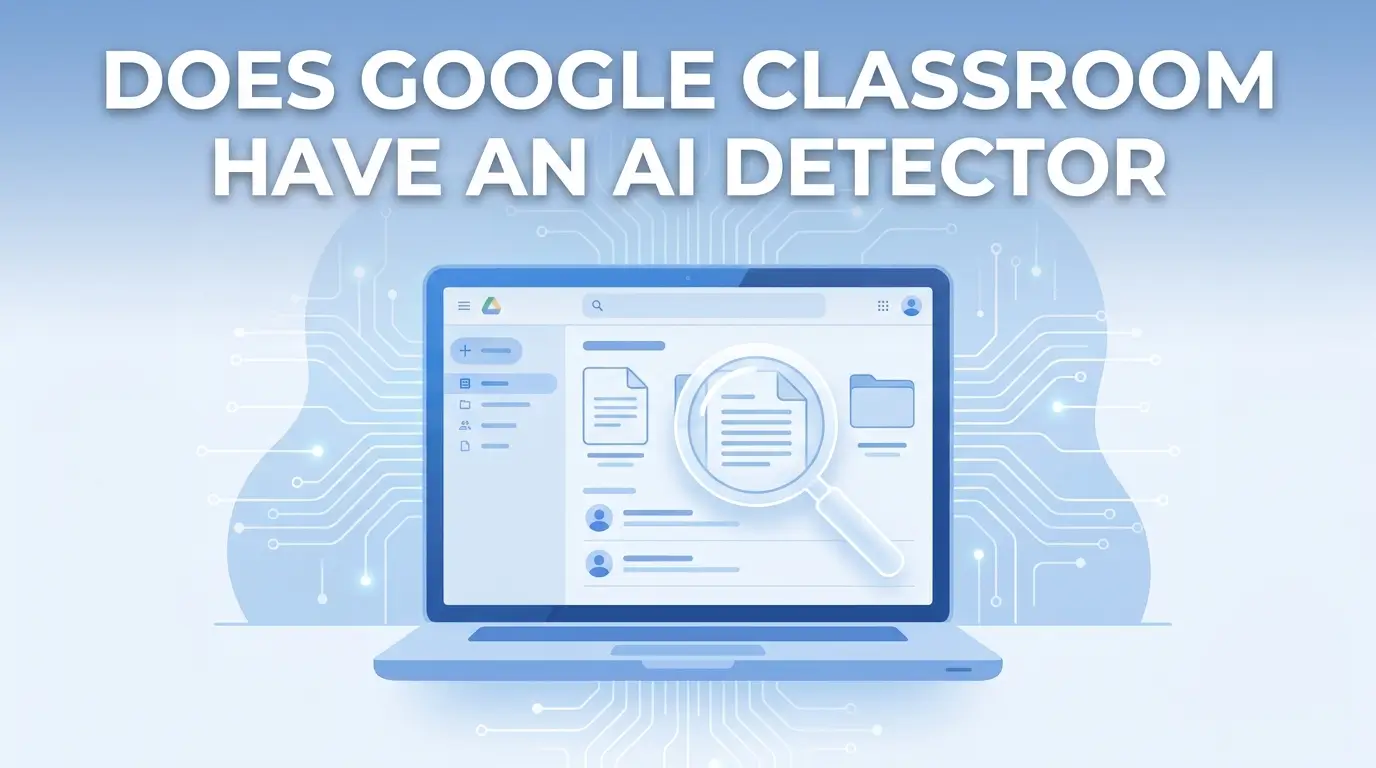
Does Google Classroom have an AI detector? No, learn what it actually detects, how teachers spot AI writing, & the top tools that close the gap.
If you have ever submitted an essay through Google Classroom and wondered whether your teacher can tell you used ChatGPT, or if you are a teacher trying to figure out why an odd submission comes back with a clean plagiarism score, you are not alone. Does Google Classroom Have an AI Detector is one of the most searched education questions of 2026, and the honest answer surprises most people: Google Classroom has no built-in AI detector at all. Its only originality tool, Originality Reports, is a traditional plagiarism checker that compares student work against indexed web pages and books. It was never designed to catch AI-generated writing, and it does not.
By the end of this article, you will know exactly what Google Classroom can and cannot see, which signals experienced teachers actually rely on, which third-party tools close the gap, and what students and teachers alike get wrong about how AI detection really works in 2026.
Key Takeaways
Whether Google Classroom has a built-in AI detector
What Originality Reports actually check, and why they miss AI writing
What Google's SynthID Detector really does
The 3 layers teachers actually use to catch AI use
A full comparison of the top 5 third-party AI detectors
How to handle an AI-flagged assignment the right way
The most common myths about Google Classroom and AI detection
Free tools to check and humanize your own writing: AI Detector and AI Humanizer
What Google Classroom Can and Cannot Detect
Before going deeper, here is a clear snapshot of what Google Classroom's built-in tools actually do, and where they fall completely short.
What Google Classroom CAN Detect | What Google Classroom CANNOT Detect |
Direct copy-paste from web pages indexed by Google | AI-generated text from ChatGPT, Claude, or Gemini |
Paraphrased content matching indexed web sources | LLM-authored text with no matching web source |
Student-to-student matches (Education Plus and Teaching & Learning Upgrade only) | Writing pattern signals like perplexity or burstiness |
Uncited quoted passages from published books | Which specific AI model generated the text |
Microsoft Word files converted to Google Docs | Single-session, large-paste document creation events |
This table tells you everything you need to know upfront. Now let's go deeper, whether you are a teacher trying to protect academic integrity or a student wondering exactly what your school can see.
Does Google Classroom Have an AI Detector?
No. Google Classroom does not have a built-in AI detector of any kind.
Google Classroom is the dominant learning management system (LMS) in K-12 schools across the United States and is widely used in higher education around the world. Despite its massive reach, the platform has zero native AI classifier, meaning no tool that analyzes whether a student's work was written by a large language model (LLM) like ChatGPT, Claude, or Gemini.
What it does have is Originality Reports. But Originality Reports are a plagiarism checker, not an AI writing detector. That distinction is critical, and it is the single biggest source of confusion for both teachers and students searching this topic right now.
Here is why that confusion exists: when a student copies text directly from a website, Originality Reports catches it because that exact text already exists somewhere online. But when a student uses ChatGPT to write an essay, that essay is entirely new text that has never appeared anywhere on the internet before. Google's Originality Reports returns a 0% match. The plagiarism checker sees nothing wrong, because technically, nothing was copied.
That gap is exactly why 91% of students admitting to using AI for assignments has become such a serious problem for schools, and why teachers are left without answers when they rely on Google Classroom alone. If you want to understand exactly how AI writing differs from human writing at a structural level, this breakdown of how AI writes compared to humans explains the patterns detectors are actually looking for.
Google has also not publicly committed to building a native AI classifier inside Google Classroom. Based on Google's own cautious internal research into AI detection accuracy, the company appears to be investing in process-based features, such as version history visibility and Gemini-assisted teacher tools, rather than building a classification system. Given the documented high false positive rates across the AI detection industry, this is a deliberate decision, not an oversight.
What Are Google Classroom's Originality Reports? (And Why They Are NOT AI Detectors)
What Originality Reports Actually Check
Originality Reports are Google Classroom's built-in similarity checking tool. When a teacher enables the feature on an assignment, Google scans the submitted Google Doc against hundreds of billions of indexed web pages and over 40 million books. It highlights any passages that closely match existing content, shows a match percentage, and links directly to the original source material.
Students can also run an originality check on their own work before submitting, up to three times per assignment, which helps them catch accidental plagiarism and fix missing citations before the teacher sees the final version.
Originality Reports work with Google Docs, Google Slides, and Microsoft Word files that have been converted to Docs format. Documents must not exceed 2MB in size to be eligible for scanning.
The Critical Difference: Plagiarism Detection vs. AI Detection
These two things are completely different, and mixing them up leads to real problems in classrooms.
Plagiarism detection compares text against known, published sources. If those words exist somewhere online and a student copied them, the tool finds the match. That is exactly what Originality Reports do.
AI detection analyzes statistical writing patterns, specifically metrics called perplexity and burstiness, to estimate the probability that a piece of text was generated by an AI model rather than written by a human being. It does not look for a source match anywhere. It looks for patterns in how the text was constructed at the word and sentence level.
AI-generated text is brand new every single time it is created. No database match exists for it. A student could submit a 2,000-word essay written entirely by ChatGPT and receive a completely clean Originality Report with zero flags, because every word in that essay is genuinely original content that has never been published anywhere before.
This is why teachers who rely only on Originality Reports have absolutely no AI detection capability.
Originality Reports by Google Workspace Plan
How many originality reports a teacher can actually use depends entirely on which Google Workspace for Education plan their school is paying for:
Google Workspace Edition | Originality Reports | Student-to-Student Matching |
Education Fundamentals (Free) | 5 reports per class | No |
Education Standard | 5 reports per class | No |
Teaching & Learning Upgrade | Unlimited | Yes, school domain repository |
Education Plus | Unlimited | Yes, school domain repository |
The free Education Fundamentals plan limits teachers to just five originality reports per class. This strict cap is one of the biggest reasons schools go looking for third-party AI detection tools, even before the AI detection gap is factored in.
Source: Google's Originality Reports product page confirms these tier details and plan limits.
Does Google Have an AI Detector? (Google's Official Tool, Fully Explained)
Yes, but not in the way most people expect or hope for.
Google's only official AI detection tool is called SynthID Detector. It was developed by Google DeepMind and officially announced in January 2026. Here is exactly what it does, and what it absolutely does not do.
SynthID works by embedding an invisible digital watermark directly into content generated by Google's own AI tools: Gemini, Imagen, Lyria, and Veo. These watermarks are built into the content at the exact moment of creation. SynthID Detector then scans submitted content to check whether one of these proprietary watermarks is present.
Over 10 billion pieces of content have already been watermarked using SynthID across Google's AI platforms since the program launched.
SynthID Detector is completely free to use. It can scan images, audio, video, and text, but only for SynthID watermarks that were embedded by Google's own AI tools at the point of generation.
Key Fact: SynthID Detector cannot detect content written using ChatGPT, Claude, Llama, or any non-Google AI model. A student who writes an assignment using ChatGPT and submits it through Google Classroom carries no SynthID watermark whatsoever. SynthID would return no signal at all, because there is nothing there for it to find. If you use Claude specifically and want to understand how its output behaves under detection tools, this guide on whether Claude text can be humanized covers that in detail.
Critical distinction: Google uses SynthID to watermark its own AI-generated content. It does not analyze whether a student's assignment was written by ChatGPT, Claude, or any non-Google AI. These are two entirely separate systems serving completely different purposes, and confusing them leads teachers down the wrong path entirely.
Does Google Classroom Use AI?
Yes, but not for detection. This is one of the most widely misunderstood points about Google Classroom in 2026.
Google has integrated Gemini AI directly into Google Classroom, but Gemini is there to help teachers, not to monitor students.
Here is exactly what Gemini inside Google Classroom does and does not do:
What Gemini in Google Classroom DOES | What Gemini in Google Classroom DOES NOT Do |
Helps teachers create detailed lesson plans | Scan student assignments for AI-generated content |
Assists with rubric drafting and grading criteria | Flag or detect ChatGPT-written submissions |
Generates practice sets from teacher-uploaded content | Analyze writing patterns like perplexity or burstiness |
Provides AI-assisted feedback suggestions for teachers | Function as an AI detector of any kind |
So when someone asks "does Google Classroom use AI," the answer is yes, but that AI is a teaching assistant built for educators. It has nothing to do with catching students who use AI on their assignments. Teachers who assume Gemini is monitoring their students for AI use are working with a completely false understanding of how the platform functions.
How Does Google Classroom Detect AI? (The 3-Layer Detection Reality in 2026)
Since Google Classroom has no native AI detector, teachers rely on three layers working together to identify AI use. Understanding all three is essential, whether you are a teacher building a practical detection workflow or a student trying to understand what your school can actually see when you submit.
Layer 1: Google Docs Version History (The Most Powerful Free Signal Available)
Google Docs automatically records a complete revision history of every single document. Every time a document is edited and saved, whether the student adds a sentence, deletes a word, or restructures a paragraph, a new version entry is created. This history includes exact timestamps, details of what text was added or deleted, and a clear record of how long each editing session lasted.
Teachers access this by opening a student's Google Doc and going to File → Version History → See version history.
What AI-generated submissions look like in version history:
One or two total versions in the entire document history
A single large block of text, often 800, 1,000, or 1,500 words, appearing in one session
The large text insertion happening very close to the submission deadline
Almost no editing activity before or after the paste event
What authentic student submissions look like:
Dozens of individual saves spread across multiple days
Text built up gradually, with sentences added, deleted, and reworked over time
Multiple editing sessions at different times of day and on different days
Clear evidence of drafting, research integration, and revision
Teacher Tip: How to Check Version History Step by Step
Open the student's submitted Google Doc from your Google Classroom grading view
Click File in the top menu bar
Select Version History → See version history
Look at the right-hand timeline panel; each version entry shows an exact timestamp
An AI-generated submission typically shows one or two large paste events appearing in a single session close to the deadline
Authentic student work shows dozens of incremental saves built up over several days of actual writing
Version history is not an AI detector; it cannot tell you with certainty that a student used ChatGPT. But it is the most powerful process-based signal available inside Google Classroom without spending a single dollar on any third-party tool.
Layer 2: Behavioral Detection Signals (What No Software Can Replicate)
Experienced teachers also watch for three behavioral signals that no AI detection software can replicate and no student can easily fake.
Signal 1: Sudden writing style change. Teachers who read a student's work throughout the school year develop a clear and accurate sense of that student's natural voice, vocabulary level, and sentence complexity. When a student who previously wrote in simple, direct sentences suddenly submits a polished, highly structured essay that reads like a published article, that inconsistency is immediately obvious, with or without any software running in the background.
Signal 2: Absence of personalized understanding. AI-generated text is structurally complete but personally empty. It lacks specific references to classroom discussions, the student's own experiences, or opinions formed during the course itself. When a teacher asks a student to explain a specific claim or conclusion from their own submitted work, a genuine author answers confidently and immediately. A student who did not write the work struggles within the first 60 seconds.
Signal 3: Generic, overly polished tone. AI text optimizes for structural correctness and comprehensive topic coverage. It rarely takes a bold personal stance, includes a specific local or personal example, or uses the kind of imperfect but authentic phrasing that real student writing naturally contains. The result is text that is technically correct but feels oddly hollow and strangely confident about everything at once. If you are curious how people try to soften this generic tone artificially, this guide on making ChatGPT sound more human explains the common techniques and their limits.
Teacher Tip: After flagging odd work, schedule a five-minute one-on-one check-in with the student. Ask them to walk you through two or three specific claims from their submission, where the idea came from, how they arrived at that conclusion, and what they would add if they were expanding their argument further. Authentic student authors answer immediately and naturally. Students who relied entirely on AI without reading or genuinely engaging with the output are exposed within the first 60 seconds of that conversation.
Layer 3: Third-Party AI Detector Integration (The Technical Solution)
Google Classroom does not detect AI writing on its own, but it connects with specialized third-party tools that do exactly that. These tools integrate with Google Classroom in three distinct ways:
LTI (Learning Tools Interoperability) connection: the technical standard that allows Turnitin to integrate directly into the Google Classroom grading interface
Chrome extension or Google Workspace add-on: tools like Pangram and GPTZero that run directly inside Google Docs as the teacher grades, without any platform-switching
Direct native integration: Winston AI's purpose-built Google Classroom connection, where AI probability scores appear automatically on every submitted assignment without any manual steps
The next section covers each of these tools with full detail, free tier breakdowns, and step-by-step setup instructions.
The Best AI Detectors for Google Classroom (Free and Paid, Full Comparison 2026)
Google Classroom has no native AI detection, but five third-party tools fill that gap reliably. Each one works differently, costs differently, and suits different types of schools and grade levels. Here is everything you need to choose the right one for your classroom.
Tool | Integration Method | Free Plan | Accuracy | Best For | Data Compliance |
GPTZero | Google Classroom add-on + Chrome extension | 10,000 words/month, no card needed | 95.7% on RAID benchmark; 99.3% on Chicago Booth 2026 test | K-12 teachers, education-first detection | FERPA compliant |
Turnitin | LTI integration | Institutional only | 85 to 98% (varies by writing style) | Universities, formal academic integrity cases | FERPA compliant |
Winston AI | Direct native Google Classroom integration | 2,000 words, 14-day trial | 99.98% (vendor-reported) | Teachers wanting automatic in-Classroom scoring | Compliant |
Pangram | Chrome extension + enterprise LMS | Free plan available | 99.98%; 1 in 10,000 false positive rate | Accuracy-first classrooms; ESL student safety | SOC 2 Type 2 |
Copyleaks | Google Workspace add-on + LMS integration | 5 free scans per month | 99.84% on non-native English texts | International and multilingual classrooms | SOC 2 + FERPA |
GPTZero: The Best Free Option for K-12 Google Classroom
GPTZero is the most widely used AI detection tool in K-12 education in the United States, and the reason is straightforward: it works, it is free to start, and it plugs directly into Google Classroom without requiring any extra steps during grading.
Once integrated, teachers see an AI probability score on every submitted assignment automatically, without copying and pasting a single word into a separate platform.
The free plan gives teachers 10,000 words of scanning per month at no cost. No credit card is required to create an account and get started immediately.
What separates GPTZero from simpler tools is the depth of its detection architecture. It does not just return a single percentage score for the entire document. It highlights individual sentences, showing exactly which parts of a submission scored high for AI probability and which parts appear human-written. This sentence-level classification matters enormously for fairness: a student who used AI for three paragraphs and wrote the rest themselves gets treated very differently from one who submitted a fully AI-generated essay.
GPTZero also includes two features that no other tool in this comparison currently offers:
Writing Replay: a video-level evidence trail that reconstructs how the document was created, including every keystroke, paste event, and deletion. This is the most defensible and verifiable form of evidence a teacher can present in a formal academic integrity conversation.
Paraphraser Shield: specifically designed to detect AI-written text that has been reworded or humanized to evade basic detection. On independent testing, GPTZero's paraphrase detection achieves 93.5% recall, significantly ahead of Pangram (50.2%) and Originality AI(57.3%).
Key Fact: On the independent RAID benchmark, GPTZero detected 95.7% of AI-generated texts while producing only a 1% false positive rate on human-written content. On the 2026 Chicago Booth benchmark, GPTZero achieved 99.3% recall, the highest score of any tool independently tested.
Step-by-Step: How to Add GPTZero to Google Classroom
Go to GPTZero and create a free educator account
Navigate to Integrations → select Google Classroom from the integration options
Authorize access to your Google Workspace account when prompted
AI probability scores now appear automatically on every new student submission inside your Classroom grading view
Click any submission to see full sentence-level highlighting, the complete AI probability breakdown, and the Writing Replay evidence trail
Pangram: The Best Choice for Accuracy and ESL Classroom Safety
Pangram operates as a Chrome extension that runs directly inside Google Docs while a teacher grades student work. There is no switching between platforms and no copying and pasting text anywhere. A teacher simply highlights an odd passage, clicks the Pangram extension in the Chrome sidebar, and receives a color-coded, sentence-level breakdown showing exactly which parts of the text appear human-written and which appear AI-generated, all without leaving the document.
Pangram's standout number is its false positive rate: 1 in 10,000. That means for every 10,000 human-written texts Pangram analyzes, it wrongly flags just one as AI-generated. For comparison, several widely used free AI detectors produce false positive rates that can reach 10 to 15% on formal academic writing, meaning they wrongly accuse innocent students at a deeply concerning frequency.
Pangram is SOC 2 Type 2 certified. Critically, it does not use student data to train its own detection models, a non-negotiable requirement for school IT administrators deciding which third-party tools to officially approve and whitelist on their networks.
For classrooms that include ESL (English as a Second Language) students or non-native English speakers, Pangram is particularly important. Independent research confirmed a 0% false positive rate on TOEFL benchmark essays written by non-native English speakers, a result no other tool in this comparison has independently replicated.
Key Fact: Independent research published on arXiv confirmed Pangram's 0% false positive rate on TOEFL essays written by non-native English speakers. This result is directly relevant for any US school serving international students, immigrant families, or ESL learners.
Turnitin: The Standard Tool at Universities
Turnitin is the most established academic integrity tool in higher education, and it has a formal integration pathway with Google Classroom through LTI, the Learning Tools Interoperability standard. This allows teachers to send student submissions from the Classroom grading interface directly into Turnitin for analysis without switching platforms manually.
What makes Turnitin fundamentally different from basic web-match plagiarism checkers is how it detects AI writing. Turnitin's AI writing indicator does not search for a matching source document anywhere. It analyzes writing patterns and predictability scores, the same statistical signals, specifically perplexity and burstiness, that underpin all serious AI detection systems. This means Turnitin can flag AI-generated text even when the content is 100% original and has never appeared online before. If you are wondering whether humanized AI text can slip past this specific system, this article on whether humanized AI works on Turnitin breaks down what actually happens in practice.
Turnitin Clarity is the specific product that combines both plagiarism detection and AI detection in a single unified dashboard, the most complete academic integrity workflow currently available for Google Classroom users operating at the university level.
There is no individual free tier. Turnitin operates on institutional licensing, which is why it is the standard at universities and colleges rather than K-12 public schools.
Winston AI: The Only Tool with a Direct Native Google Classroom Integration
Winston AI is the only AI detector that has built a true, direct, native integration with Google Classroom itself, not a Chrome extension workaround, not an LTI setup process. Once connected, AI probability scores appear automatically on every submitted student assignment inside the Classroom grading interface without any additional manual steps from the teacher whatsoever.
Winston AI also offers two unique capabilities not found in any other tool on this list:
OCR (Optical Character Recognition): Winston AI can scan handwritten or printed paper submissions that have been photographed and uploaded by a teacher. Every other tool on this list works exclusively with digital text files.
HUMN-1 Certification: a Winston AI verification that formally certifies submitted content as human-authored, useful for schools that need clearly documented evidence during formal academic integrity processes.
The free trial gives teachers 2,000 words of scanning over 14 days with no credit card required to activate.
Copyleaks: The Best Choice for International and Multilingual Schools
Copyleaks integrates with Google Classroom as a Google Workspace add-on and supports AI detection across more than 30 languages. For US schools serving international students or communities where English is a second language, this multilingual coverage is unmatched by any other tool in this comparison.
Copyleaks detects AI-generated content from ChatGPT, Claude, Gemini, Llama, and more, including multiple forms of paraphrasing and source code detection. It is both FERPA compliant and SOC 2 certified, making it secure and legally defensible for school environments from a student data privacy standpoint.
The free plan includes five scans per month and up to 1,200 words per month, enough for spot-checking individual odd submissions but not practical for scanning an entire class's assignments at once. If you want to see how these tools stack up against other newer detectors on the market, this review of JustDone's AI detector accuracy is worth a look for context.
Does Google Docs Have an AI Checker?
No. Google Docs has no built-in AI detection feature of any kind.
This question comes up constantly because Google Docs is the writing environment for all Google Classroom assignments. When a teacher assigns work through Google Classroom, students write and submit directly inside a Google Doc. So if Google Docs had an AI checker built in, it would effectively solve the whole problem right there. It does not.
What Google Docs does offer, as explained in the version history section above, is a revision timeline. That timeline is a process-based detection signal, not an AI classifier. It shows you how the document was constructed over time. It does not tell you whether the text was written by a human or an AI model.
The gap is filled by Chrome extensions that run directly inside Google Docs during the grading process without requiring the teacher to leave the document at all:
Pangram Chrome Extension: color-codes AI-generated passages directly inside the Google Doc as the teacher reads, with no platform switching required
GPTZero Chrome Extension: provides sentence-level AI probability scoring from the Chrome sidebar, accessible while grading inside Google Docs
The Fastest Free Google Docs AI Detection Workflow:
Install the Pangram Chrome Extension (free plan available, no credit card required)
Open the student's Google Doc from your Google Classroom grading view
Highlight any passage that looks odd or inconsistent with the student's established writing style
Click the Pangram extension icon in your Chrome toolbar
Receive a color-coded, sentence-level AI breakdown in under five seconds, without leaving Google Docs at any point
Can Teachers Tell If You Used AI? (The Complete Student Guide for 2026)
This section is written directly for students. If you are a teacher, this section also gives you a precise picture of exactly what is and is not visible from your side of the grading interface.
What Teachers Can See Without Any Tool
Version history is visible to every teacher, always. Every single Google Doc submitted through Google Classroom has a version history that any teacher can open at any time. If you opened a blank document and pasted in 1,200 words of ChatGPT output five minutes before the deadline, that is exactly what the version history shows: one version, one paste event, one session, timestamp included.
This is not an AI detector in any technical sense. But it is a very clear and easy-to-read signal, and teachers have been using it to flag odd submissions since long before AI writing tools even existed.
Writing style inconsistency is obvious to teachers who have read your previous work. If you have submitted three assignments in your natural writing voice across the semester and your fourth submission suddenly reads like a corporate research report or a published journal article, your teacher notices. No software is required, only a teacher who has actually read your previous work, which is literally their job.
Originality Reports flag copied web content, but not AI writing. If you copied text directly from a website or published source, Originality Reports will catch it. If you used ChatGPT to generate completely new text, Originality Reports will show a 0% match score. But a clean originality report does not mean you are safe from detection; it only means the plagiarism checker found no matching source. The other signals above still apply and are still clearly visible.
What Teachers Can See With a Third-Party AI Detector Installed
If your school has connected GPTZero, Turnitin, Winston AI, Pangram, or Copyleaks to Google Classroom, here is what happens automatically on every assignment you submit:
An AI probability score appears alongside your submission in the teacher's grading interface, without the teacher having to manually initiate any check at all
Sentence-level highlighting shows exactly which individual sentences in your work scored high for AI probability and which appeared human-written
If GPTZero Writing Replay feature is enabled, the teacher can watch a full video-level reconstruction of how your document was created, showing every paste event, deletion, and typing session from the beginning to the final submission
What Teachers Cannot Prove with AI Detection Alone
Here is the most important part, and the part that most articles on this topic skip entirely.
AI detection scores are not verdicts. They are probability estimates. Every single tool on this list outputs a percentage, something like "87% likely AI-generated." That is not the same as proof of anything. It is a statistical estimate with known error rates built in.
Key Fact: Stanford HAI research found that AI detectors classified more than 61% of TOEFL essays written by non-native English speakers as AI-generated, even when every one of those essays was 100% human-written by real students.
Key Fact: A 2026 arXiv paper mathematically demonstrated that AI text detectors produce structurally high false positive rates with disproportionate errors across different student populations, a fundamental limitation that cannot be engineered away regardless of how sophisticated the detector becomes.
This is precisely why responsible schools treat AI detection scores as one signal among many, not as standalone proof of academic misconduct. A high AI score opens a conversation with a student. It does not close a formal case or justify immediate disciplinary action. For students who want to understand how detectors evaluate their own natural writing before submitting anything, the free AI Detector tool lets you check a draft the same way a teacher's software would.
Free AI Detectors That Work with Google Classroom (Complete Free Tier Breakdown)
Budget is a real and pressing constraint for many US teachers, especially in K-12 public schools. Here is exactly what each major tool offers at zero cost so you can build a real AI detection workflow without spending a dollar:
Tool | Free Plan Details | Monthly Word Limit | Credit Card Required? |
GPTZero | Full free plan, paste text or upload document directly | 10,000 words/month, 7 scans/hour | No |
Pangram | Free plan available | Visit pangram.com for current free limits | No |
Copyleaks | 5 scans per month included | 1,200 words/month | No |
Winston AI | 14-day free trial period | 2,000 words total | No |
ZeroGPT | Unlimited basic scanning | 2,000 words per individual scan | No |
SynthID Detector | Completely free, Google's own tool | Google AI-generated content only | No |
Critical note on SynthID Detector: SynthID Detector is free to use, but it only identifies content that was generated by Google's own AI tools, Gemini, Imagen, Lyria, and Veo. It absolutely cannot detect text written using ChatGPT, Claude, Llama, or any non-Google AI. For detecting AI use in student assignments submitted through Google Classroom, SynthID Detector is the wrong tool entirely.
The Best Completely Free Google Classroom AI Detection Workflow: Use GPTZero's free plan (10,000 words per month, no credit card, direct Google Classroom integration) for automatic AI probability scoring across all class submissions in one place. Layer in the Pangram Chrome Extension (free plan available) for real-time, sentence-level checking inside individual Google Docs during the actual grading process. Together, these two free tools cover both bulk batch detection across an entire class and granular in-document grading, at absolutely zero cost to your school.
Best Practices for Teachers: How to Handle AI-Flagged Assignments the Right Way
Getting an AI detection flag on a student's submission is the start of a process, never the end of one. Here is the five-step protocol that balances detection accuracy, student fairness, and defensible academic integrity outcomes.
Step 1:
Understand the score in its full context first. Before drawing any conclusion, check the specific tool's documented false positive rate. Pangram reports 1 in 10,000. GPTZero reports 1% on the independent RAID benchmark. Consider whether the student is an ESL learner or non-native English speaker; Stanford HAI research confirms false positive rates above 61% for non-native English essays on several popular detectors. Then review the sentence-level breakdown carefully: is the entire document flagged or only specific sections?
Step 2:
Open the Google Docs version history immediately. Go to File → Version History → See version history inside the submitted Google Doc. Examine the edit timeline in detail. A genuinely student-written essay shows dozens of incremental saves spread across multiple sessions over several days. A single large paste event appearing close to the submission deadline, especially when combined with a high AI probability score, is a meaningful and significant signal worth investigating further.
Step 3:
Compare against the student's confirmed previous work. Pull two or three previous authentic submissions from earlier in the semester. Look carefully at vocabulary level, sentence complexity, natural writing voice, and overall structural approach. Authentic student writing is consistent in these dimensions even when quality improves gradually over time. A sudden, dramatic jump in sophistication with zero gradual development visible in version history is a meaningful red flag.
Step 4:
Have a direct follow-up conversation with the student. Schedule a five to ten minute one-on-one check-in. Ask the student to walk you through two or three specific claims or conclusions from their submission, where the idea originally came from, how they arrived at that specific conclusion, and what they might add if they were expanding the argument. Genuine authors answer immediately, confidently, and naturally. Students who submitted AI-generated content without genuinely reading or understanding it are typically exposed within the first few minutes of direct conversation.
Step 5:
Apply your school's formal policy, never the detector score alone. No AI detection score, regardless of how high it is, constitutes proof of academic misconduct on its own. Document every step you took thoroughly: screenshots of the version history timeline, the full AI detection report, written notes from the comparison of previous work, and a brief record of the follow-up conversation. Then escalate according to your school's formal academic integrity framework, based on the complete body of evidence, not based on a single probability score.
Key Advisory for All Educators:
Never use an AI detection score as the sole piece of evidence in a formal academic integrity case. Multiple leading universities, including those whose guidance aligns with Vanderbilt University's Center for Teaching recommendations, explicitly advise against treating AI detection output as definitive proof of misconduct. Use it as one meaningful data point within a complete, holistic assessment of all available evidence before making any formal determination.
Common Myths About Google Classroom and AI Detection, Debunked
There is a lot of inaccurate information spreading through student forums, parent groups, and even some teacher communities on this topic. Here are the most common myths, and the accurate reality behind each one:
Myth | Reality |
Google Classroom automatically rejects AI-written essays | Google Classroom has zero automated AI detection. No submission is blocked or flagged by the platform itself, ever |
Originality Reports catch ChatGPT content | Originality Reports check for web matches only. A fully ChatGPT-written essay produces a 0% plagiarism score because the text is entirely new and exists nowhere online |
Google Classroom uses Gemini to monitor student AI use | Gemini in Google Classroom assists teachers with lesson planning and rubric creation. It does not analyze, monitor, or scan student submissions in any way |
AI detectors are 100% accurate | No AI detector achieves 100% accuracy. All tools produce probabilistic outputs, AI probability scores, not definitive verdicts. False positives affect real students |
ESL students are safe from false AI flags | Stanford HAI research found that 61% of TOEFL essays by non-native English writers were wrongly classified as AI-generated by popular detectors, even when completely human-written |
SynthID detects all AI-written content | SynthID Detector only identifies content watermarked by Google's own AI tools. It cannot detect ChatGPT, Claude, Llama, or any non-Google AI output |
A 0% Originality Report score means no AI was used | A 0% score only means no matching web source was found. ChatGPT creates entirely original new text that always returns a 0% plagiarism match |
Frequently Asked Questions
Does Google Classroom have an AI detector free?
No, Google Classroom has no built-in AI detector. GPTZero and Pangram both offer free plans that integrate with it, at no cost to the school.
What AI detector does Google Classroom use?
None natively. Its only built-in tool, Originality Reports, checks for plagiarism, not AI writing. Schools add GPTZero, Turnitin, Winston AI, Pangram, or Copyleaks separately.
How does Google Classroom detect AI?
It does not, on its own. Teachers combine Google Docs version history, behavioral signals like sudden style changes, and third-party AI detectors connected via LTI, Chrome extension, or native integration.
How do I detect if my students are using AI?
Check Google Docs version history for single large paste events, watch for sudden writing style changes, and add a third-party tool like GPTZero or Pangram for automatic AI probability scores.
Does Google Docs have an AI checker?
No. It only offers version history, which shows editing activity, not AI authorship. Chrome extensions like Pangram and GPTZero add real AI detection inside Docs.
Does Google have an AI detector?
Yes, SynthID Detector, but it only identifies content made by Google's own AI tools like Gemini and Veo. It cannot detect ChatGPT, Claude, or Llama text.
Can teachers tell if you used AI in Google Classroom?
Yes, through version history, writing style changes, and third-party detectors if the school uses one. But no method gives definitive proof, only probability scores. See this guide on prompting AI to write more naturally for more on how output style affects detection.
Will Google ever add an AI detector to Google Classroom?
Nothing is announced or planned. Google currently favors process-based features like version history over building its own classifier.
Does Grammarly have a humanizer built in?
Not really. Grammarly focuses on grammar and tone, not rewriting text to lower AI detection scores. See this comparison of Grammarly's humanizing capabilities for details.
Conclusion
So, does Google Classroom have an AI detector? No, and that is unlikely to change soon. Its only built-in tool, Originality Reports, catches copied text, not AI writing. Google's own SynthID Detector only flags content made by Google's AI tools, not ChatGPT or Claude.
To actually catch AI use, teachers rely on Google Docs version history, behavioral signals like sudden style changes, and third-party tools like GPTZero, Turnitin, Winston AI, Pangram, or Copyleaks.
But remember: an AI detection score is a probability, not proof. It should open a conversation with a student, not end one. Combine the score with version history, past work, and a direct chat with the student before making any decision.
If you want to check how your own writing scores before submitting it, try the free AI Detector, and use the AI Humanizer to make it read more naturally.